Validating Passport Photo Requirements UK: 4 Assessment Tools (2026)
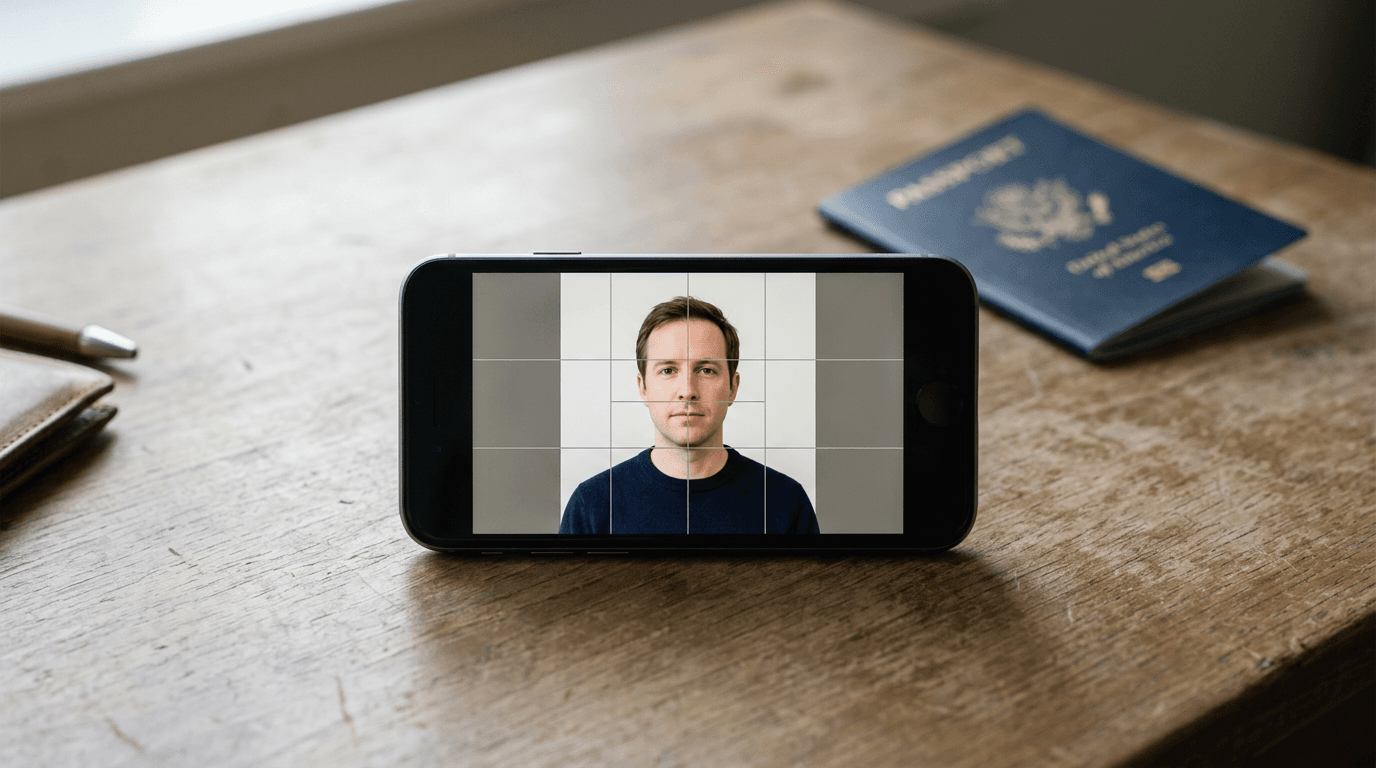
The HM Passport Office routinely rejects digital photo submissions because a parent's hand is slightly visible supporting an infant, or a harsh shadow falls across a wall. Families typically discover this biometric failure days into processing, halting international travel plans entirely. Meeting strict passport photo requirements uk standards is a mechanical verification problem, not an artistic photography challenge. Automated compliance engines exist to map facial geometry, replace non-compliant backgrounds, and format dimensions before you submit the file to the government.
Quick Summary
This guide evaluates biometric photo validation software that formats images for HM Passport Office compliance. It categorizes four verified platforms by their commercial processing models, analyzing their background removal engines, manual review availability, and print delivery speeds to prevent application rejection.
- The UK mandates a 35x45mm digital format with a light grey or cream background.
- Automated background removal algorithms frequently struggle with wispy infant hair and uneven lighting.
- Delivery methods dictate your timeline, ranging from instant digital downloads to physical mail taking several business days.
Table of Contents
- Passport photo requirements uk reject uncalibrated shadows
- 1. PhotoAiD
- 2. Visafoto
- 3. PhotoGov
- 4. ePassportPhoto
- Aligning the processing model with application timelines
- Recommended Reads
| Product | Processing Model | Features | Pros | Cons | Target Audience |
|---|---|---|---|---|---|
| PhotoAiD | One-Time Digital Delivery | iOS/Android app, background replacement, compliance checks | Unlimited uploads per session, double money-back guarantee, mobile app available | $16.95 flat fee per photo, expensive for bulk processing, requires email delivery | Single applicants needing high-certainty compliance |
| Visafoto | Subscription-Based | Dimension formatting, contrast correction, companion 7ID app | Full money-back refund, 24/7 email support, continuous updates via subscription | Ongoing $2/month fee, inefficient for single-use, requires app download for subscription | Frequent international travelers and expats |
| PhotoGov | Free-Tier Access | Auto-cropping, lighting alteration, optional human review | One free daily download, digital fee scaling, optional manual checks | Human review costs extra, strict self-verification needed on free tier, base fees vary by region | Users needing a quick digital crop or adult applicants |
| ePassportPhoto | One-Time Digital Delivery | Expert verification, physical print mailing, resizing | Human expert compliance check, physical prints available, fast digital turnaround | Print mail takes 2-3 days, higher cost for physical delivery, relies on postal infrastructure | Paper application filers lacking retail print access |
Passport photo requirements uk reject uncalibrated shadows
The HM Passport Office enforces biometric parameters that standard smartphone camera applications cannot verify on their own. The physical dimensions require a 35x45 mm vertical orientation. While dual citizens applying for US documents often search for the foto passaporto americano guidelines demanding a square 2x2 inch frame, the UK strictly rejects anything outside its rectangular specification. Furthermore, the crown of the head to the chin must measure between 29 mm and 34 mm. If a parent zooms in too far on an infant, or crops too widely, the automated scanners at the passport office will fail the image before a human examiner even sees it.

Background compliance introduces the highest failure rate. The UK requires a light grey or cream background. Pure white backgrounds, which are standard in many other jurisdictions, will trigger a rejection. Because infants cannot sit upright against a standardized studio screen, parents often photograph them lying on white sheets. Software must detect the subject's edges, isolate the baby, and digitally inject a flat, shadowless cream or grey layer behind them without clipping the ears or hair.
Practical rule: Never rely on a digital tool to fix severe facial shadows; algorithms can replace the background, but attempting to brighten half a face heavily alters biometric markers and guarantees a rejection.
To navigate these tools, this guide classifies them by their Processing Model. The One-Time Digital Delivery category charges a flat rate for a finalized file, keeping costs predictable for isolated renewals. The Subscription-Based category requires an ongoing payment, suiting expatriates processing continuous visa applications. Finally, the Free-Tier Access category provides basic cropping without financial commitment, demanding the user independently verify the final compliance. Understanding which commercial model aligns with your renewal schedule prevents overpaying for a file you submit exactly once every five years.
1. PhotoAiD
Photographing uncooperative subjects at home involves significant guesswork. This software eliminates that problem. It offers a mobile application version for iOS and Android platforms. Users receive finalized files entirely over the internet. It requires no complex graphic editing interfaces. The platform operates within the One-Time Digital Delivery category. If authorities reject the processed photos, a published guarantee provides a double money-back return.
Beneath the interface, the engine relies on biometric edge detection. When a user captures an image, the software maps critical facial landmarks-measuring the distance between the eyes, the alignment of the chin, and the overall head proportion. It then segments the foreground from the background. The background removal algorithm strips away the living room wall or bedsheet and replaces it with the exact light grey hex code required by the UK government. A digital passport photo and printable template are provided via email for $16.95.
Unlimited uploads mitigate the infant compliance risk
Because the platform allows users to upload unlimited photos for processing at no additional cost, it directly addresses the infant photography bottleneck. A baby will rarely look directly at the lens with a neutral expression on the first attempt. Parents can submit twenty different shots, letting the biometric engine discard the ones where the eyes are closed or the head is tilted, until it identifies a single compliant frame. This iterative processing happens before the final payment is locked in.
Charging $16.95 for a single finalized photo becomes financially burdensome for a household applying for multiple passports simultaneously. Generating digital files for a family of four scales linearly to nearly seventy dollars, stripping away the cost advantage of avoiding a physical photography studio. Families processing group applications will find this flat-rate structure highly inefficient.
I would choose this service when capturing a single infant's passport photo at home, specifically because the ability to repeatedly test shots against a biometric engine saves hours of manual checking.
Pros
- Offers a double money-back compliance guarantee.
- Allows unlimited photo uploads prior to final processing.
- Features native applications for both major mobile operating systems.
Cons
- Costs $16.95 per individual processed photo.
- File delivery relies entirely on email transmission.
- Does not offer physical print delivery directly.
2. Visafoto
Will a government agency actually accept a digitally replaced background? Visafoto addresses the core buyer hesitation directly by providing a full money-back refund if the processed photo is rejected by a government agency. It operates as an online photo editor that formats, sizes, and fixes the backgrounds of digital passport, visa, and ID photos. Instead of a single-use transaction, it anchors itself in the Subscription-Based category, assuming the user will need ongoing formatting for various international travel documents.
Mechanically, the web engine ingests raw smartphone files and applies strict pixel-resizing protocols. If the uploaded image features incorrect lighting contrast, the tool attempts to normalize the exposure across the subject's face before scaling the head to fit the required 29-34mm height constraint. The service also integrates with a companion mobile app called 7ID with a subscription option starting at $2 per month. If users experience technical failures during the download process, the company provides 24/7 customer support via the email address support@visafoto.com.
Recurring subscriptions shift the cost calculation for traveling families
Connecting the formatting engine to a monthly fee fundamentally changes how applicants approach document preparation. Instead of paying fifteen dollars every time a new visa or passport is required, a low monthly recurring charge allows frequent travelers to format identification photos for multiple jurisdictions without accumulating per-image costs.
Paying a recurring subscription for an isolated document renewal results in paying for idle months. A family renewing UK passports once every five years has no use for continuous formatting access. If users forget to cancel the $2 monthly charge, the accumulated cost over a year quickly eclipses the price of walking into a local pharmacy for a standard physical print.
I would opt for this model if I were managing visas and passports for a heavily traveling expatriate household that requires constant document updates across different global jurisdictions.
Pros
- Backs digital processing with a full money-back refund upon rejection.
- Maintains 24/7 customer support through a dedicated email channel.
- Subscription starts at a low base of $2 per month.
Cons
- Requires managing an ongoing monthly subscription.
- Necessitates downloading the 7ID companion app for subscription benefits.
- Overcharges infrequent travelers who forget to cancel the billing.
3. PhotoGov
Many platforms immediately charge for every download. This system provides a stark contrast. Users generate and download one free ID photo per day. The image is automatically sized and cropped. Available as an automated web-based tool and mobile app, it alters background lighting. It resizes files for global passport standards. The baseline automation comes at no immediate cost. This makes it the definitive Free-Tier Access category option. It serves applicants comfortable navigating digital file formatting.

The underlying software adjusts environmental lighting programmatically. It crops the frame using geographic presets selected by the user. A single daily output is free. Unlocking unlimited photo generation and PDF, JPEG, and PNG formats requires a monthly subscription. Buyers compare the $9.90 monthly subscription, the $5.90 direct digital purchase, and the $2.90 starting price for human review. Direct purchases target users in the United States, United Kingdom, and Canada. The optional checkout add-on varies by region, bridging the gap between pure algorithmic processing and human oversight.
Free daily generation demands strict self-verification
Allowing one free export forces the applicant to take responsibility for the final compliance check. The algorithm will crop the image and adjust the lighting, but it relies on the user to ensure the initial posture and expression met the strict UK mandates. Because there is no financial safety net on the free export, submitting the file requires confidence that the automation accurately mapped the chin-to-crown ratio.
Practical rule: When using free automated tools, always overlay the final digital file against a physical ruler on your screen to manually confirm the head height falls exactly within the 29-34mm range before submission.
Removing the algorithm's uncertainty requires paying the human review add-on, which immediately negates the cost advantage of the free tier. Once you combine the base fee for UK users with a manual review, the total price approaches the cost of full-service digital delivery platforms, making the pricing structure slightly deceptive for users wanting guaranteed compliance.
I would select this tool for cooperative adult applicants who already possess a well-lit, neutral photo and simply need an automated engine to snap it to the correct 35x45mm digital crop.
Pros
- Grants one free automatically formatted digital download daily.
- Offers flexible file formats (PDF, JPEG, PNG) on the paid tier.
- Provides optional human expert review for peace of mind.
Cons
- Guaranteed compliance checks require purchasing the human review add-on.
- Unlimited generation demands a $9.90 monthly subscription.
- Base digital fees of $5.90 apply outside the single daily free tier.
4. ePassportPhoto
Waiting for physical prints to mail alongside paper applications remains the primary bottleneck for non-digital renewals, an issue this platform specifically targets. It functions as an online platform offering automated background fine-tuning, cropping, resizing, and compliance expert verification for document images. Operating within the One-Time Digital Delivery category, it extends its utility by integrating directly with physical postal infrastructure.
The processing mechanism combines algorithmic adjustments with mandatory human oversight. Once an image is uploaded, the software fine-tunes the background contrast and resizes the portrait. However, before the file is finalized, an expert reviews the alignment to catch edge cases that software misses-such as a slightly open mouth or a reflection in eyeglasses. The service provides immediate delivery of digital passport photos for $13.95. For applicants submitting paper forms, it offers physical print delivery within 2 to 3 business days for $16.95.
Physical print delivery bridges the gap for paper applications
Not every passport application can be submitted through a web portal. Replacing a lost passport or applying for a first-time infant document often requires mailing physical paperwork or attending an in-person appointment. By handling both the digital biometric formatting and the physical printing out of a centralized facility, the platform prevents users from having to source a compatible retail photo kiosk that can handle non-standard print templates.
Relying on the postal system for physical print delivery takes up to three business days, completely ruling out the service for emergency, same-day passport appointments. If a family realizes a passport has expired the week of a flight, waiting three days for prints to arrive in the mailbox will guarantee they miss their scheduled travel date.
I would rely on this service when assembling a physical paper application several months ahead of a scheduled travel date, where print quality matters more than immediate turnaround.
Pros
- Includes compliance expert verification in the base process.
- Delivers digital files immediately upon completion for $13.95.
- Ships physical prints directly to a home address for $16.95.
Cons
- Physical delivery takes 2 to 3 business days to arrive.
- Pricing is higher for physical prints than digital downloads.
- Unsuitable for emergency or same-day physical application appointments.
Aligning the processing model with application timelines
Selecting the correct compliance tool depends entirely on your application frequency and whether you are navigating the strict United Kingdom baby passport photo guide rules or applying as an adult.
If your household requires a single, immediate file for a child, the One-Time Digital Delivery category provides the safest route. Tools in this bracket charge a flat fee but generally bundle either unlimited initial uploads or human expert verification, removing the anxiety of algorithm failure before you finalize the payment. This model shields you from ongoing charges while guaranteeing the isolated file meets HM Passport Office standards.
If you are handling a complex expatriate situation where family members need ongoing formatting for global visas, the Subscription-Based category changes the cost dynamics. Paying a low monthly fee allows continuous access to formatting tools, ensuring you are covered whether you are reviewing the baby passport photo requirements by country or formatting an adult ID. However, this model requires active management to prevent paying for idle months.
If you possess a perfectly lit, high-contrast image and only need it snapped to 35x45mm, the Free-Tier Access category removes the financial barrier entirely. This approach suits adults who can confidently read and verify the biometric guidelines themselves, accepting that any mistakes made during the self-verification process will result in a delayed application.