Mastering foto passaporto regole: The Mechanics of Biometric Photo Compliance
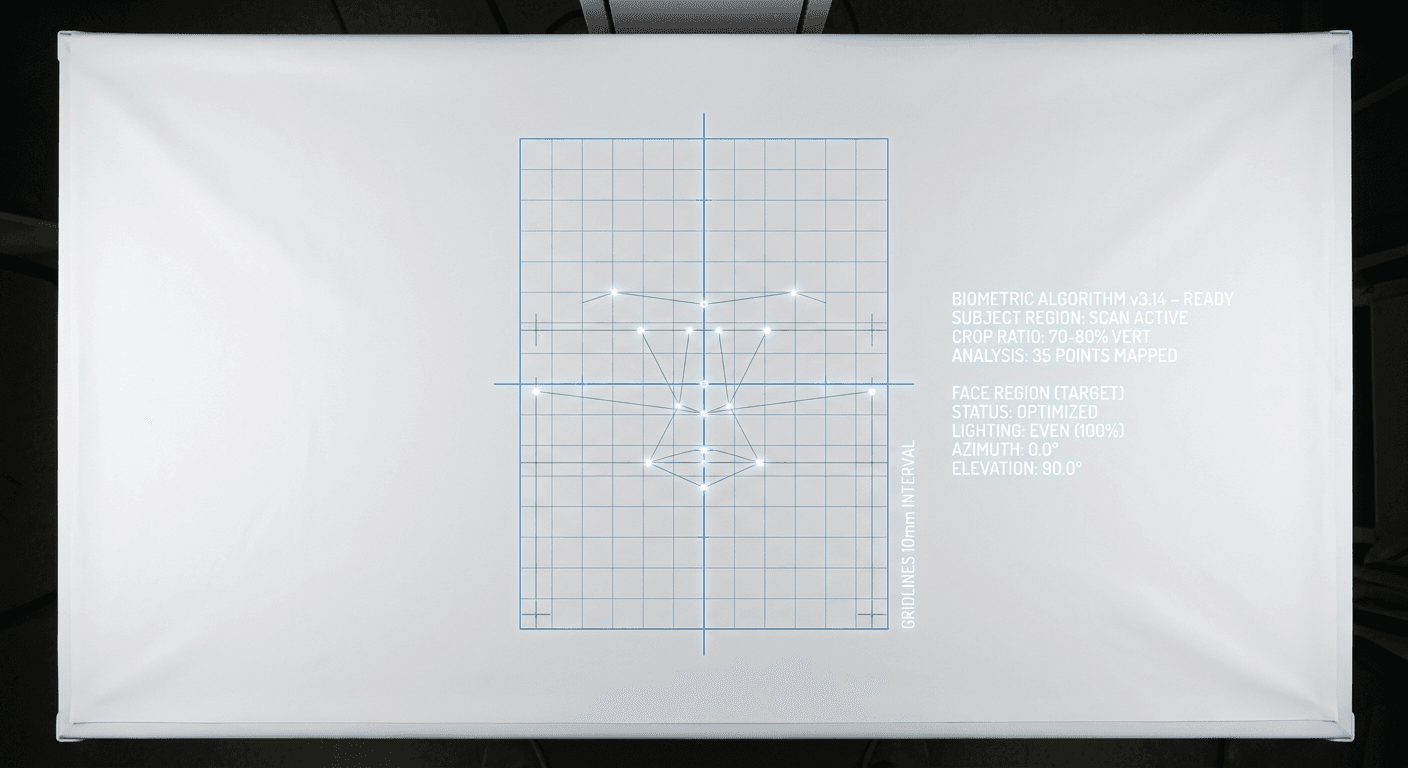
A consulate clerk opens an application file on a Monday morning and immediately sets it in the rejection pile. The picture provided by the applicant looks perfectly fine to a human eye - bright, well-framed, and sharp. However, automated verification software has flagged a soft shadow cast behind the applicant's left ear, misinterpreting it as an irregular jawline. "The system did not accept it" is not a diagnosis; a dozen different biometric parameters dictate whether an image passes or fails. Understanding the foundational foto passaporto regole requires looking past basic photography advice and examining how international aviation algorithms map facial topography. By isolating the exact failure points in lighting, cropping, posture, and digital resolution, you can stop guessing at compliance and build a standardized workflow for valid identification documents.
Quick Summary
Biometric identification photos are strictly regulated data sets disguised as portraits, evaluated by software algorithms before they ever reach a human reviewer. Meeting global standards requires absolute control over ambient lighting, spatial geometry, and digital resolution.
- Algorithmic mapping: Verification systems measure the exact pixel distance between nodal points, such as the pupils and the tip of the nose.
- Background interference: Soft shadows or uneven background lighting cause edge-detection failures during digital segmentation.
- Dimensional ratios: A compliant image strictly limits the percentage of the frame occupied by the applicant's head.
- Infant exceptions: Newborn biometric capture requires distinct background isolation techniques, as physical support mechanisms cannot be visible in the final frame.
Table of Contents
- Why foto passaporto regole dictate the entire biometric baseline
- How shadows and background artifacts break facial recognition
- What an ideal esempio foto passaporto reveals about head-to-image ratios
- Where digital submission parameters differ from physical prints
- How physical media constraints ruin valid source files
- Why infant biometric capture requires distinct environmental controls
- FAQ
- Recommended Reads
Why foto passaporto regole dictate the entire biometric baseline
The international rules governing travel documents are not aesthetic guidelines; they are technical specifications defined by the International Civil Aviation Organization (ICAO) under Document 9303 and ISO/IEC 19794-5. When a nation sets its specific foto passaporto regole, it is localizing these global mathematical requirements for facial recognition software.
Modern border control relies on automated facial mapping. To authenticate a traveler, the system identifies distinct nodal points on the human face - primarily the center of the eyes, the bridge of the nose, the corners of the mouth, and the exact curvature of the chin. The software calculates the absolute distance and the relative geometry between these points. If an applicant's head is tilted even slightly off a perfectly vertical axis, the interpupillary distance (the space between the eyes) becomes skewed in the two-dimensional image. The resulting geometry will not match the live scan taken at an electronic passport gate years later.
This rigid standard explains why neutral expressions are universally mandated. A broad smile fundamentally shifts facial architecture: it raises the cheeks, narrows the visible eye aperture, and distorts the resting distance between the nose and the upper lip. Facial recognition algorithms use a resting baseline to create a unique mathematical template. Any muscular contraction that alters that baseline invalidates the template, prompting the system to reject the initial application file.
How shadows and background artifacts break facial recognition
When an applicant attempts to find out come deve essere la foto per il passaporto, the instructions usually demand a "plain white or off-white background" and "even lighting." What these instructions omit is the mechanism behind the rule: digital edge detection.
Before an algorithm can map a face, it must separate the subject from the background. This process, known as semantic segmentation, relies on high contrast between the edge of the applicant's skin or hair and the pixels immediately adjacent to them in the background. If a single overhead light bulb casts a shadow under the applicant's chin, the shadow creates a false edge. The software will read that dark gradient as part of the jawline, elongating the face's mathematical model and resulting in an immediate failure.
Similarly, uneven background lighting creates gradient noise. If a flash fires from the camera's fixed position, it blasts the center of the background with light while allowing the corners to fall into shadow, creating a vignette effect. Background removal algorithms interpret these dark corners as objects in the frame. Proper biometric lighting requires flat, multi-directional illumination - bouncing light off a ceiling or using opposing continuous light sources to eliminate gradient drop-offs entirely.
What an ideal esempio foto passaporto reveals about head-to-image ratios
Government agencies enforce strict limits on how large a head must appear within the final crop. An official portal will almost always publish an esempio foto passaporto explicitly to demonstrate this vertical scaling. If the camera is too close, the lens inherently distorts facial features (often enlarging the nose and narrowing the ears). If the camera is too far away, the pixel density of the face drops below the threshold required for accurate nodal mapping.
In standard Schengen rules, the crown of the head to the bottom of the chin must measure between 32 and 36 millimeters within a 35x45 millimeter frame. This typically equates to the face occupying 70 to 80 percent of the vertical image height. To achieve this without optical distortion, the camera lens must sit at least 1.2 to 2 meters away from the subject, relying on optical zoom or post-capture cropping to frame the head correctly.
Three specific rotational axes are measured to determine postural compliance:
- Pitch: Nodding the head up or down. This obscures the neck and shortens the vertical measurement of the face.
- Yaw: Turning the head side to side. This breaks the symmetrical visibility of the ears and cheeks.
- Roll: Tilting the head shoulder to shoulder. This skews the horizontal eye line.
Practical rule: Align the camera lens directly with the applicant's nose, never their eyes, and step back a minimum of four feet before framing the shot to eliminate optical barrel distortion.
Dimensional Standards Comparison
| Jurisdiction | Physical Dimensions | Head Height Requirement | Background Color |
|---|---|---|---|
| United States | 2 x 2 inches (51 x 51 mm) | 1 to 1 3/8 inches (25 - 35 mm) | Pure White |
| Schengen / EU | 35 x 45 mm | 32 to 36 mm | Light Grey or White |
| United Kingdom | 35 x 45 mm | 29 to 34 mm | Cream or Light Grey |
| Canada | 50 x 70 mm | 31 to 36 mm | Pure White |
Where digital submission parameters differ from physical prints
The shift toward online application portals has introduced a new layer of technical failure points. An image that perfectly meets physical cropping standards can still be immediately rejected by an automated upload portal due to file format anomalies, excessive compression artifacts, or incorrect color spaces.
Most government portals mandate the sRGB color space. Images captured on modern smartphones often default to wider gamuts (like Display P3) or high-efficiency formats (HEIC). When a portal automatically converts a Display P3 file into sRGB, the color data compresses aggressively, often leaving the applicant's skin tone looking highly saturated or unnaturally red. This shift triggers algorithmic warnings for digital manipulation or artificial filters.
Furthermore, digital submissions are strictly bounded by minimum pixel dimensions and maximum file sizes. The standard US digital requirement mandates a minimum of 600x600 pixels, up to a maximum of 1200x1200 pixels, encoded as a baseline JPEG. If an image is heavily compressed to meet a strict 240kB file size limit, JPEG compression artifacts - tiny, blocky distortions around high-contrast edges - will appear along the jawline and eyes. To avoid this, successful country-specific baby passport photo requirements mandate generating a high-resolution, uncompressed working file, resizing it precisely to the required pixel grid, and exporting it at a moderate compression ratio that maintains edge clarity without bloating the file size.
How physical media constraints ruin valid source files
Despite the rise of digital portals, many visa and passport applications still rely on physical paper submissions. Applicants consistently question quante foto per passaporto they must supply in the envelope, but the requested quantity - typically two identical copies - matters far less than the physical integrity and printing method of those specific pieces of paper.
Biometric verification scanners read physical photographs at 300 to 600 dots per inch (DPI). If a photograph is printed on a consumer-grade inkjet printer, the image is composed of thousands of tiny, distinct ink droplets. Under a high-resolution scanner, this dot matrix creates visual noise that interferes with facial mapping algorithms. Standard compliance demands continuous-tone printing, usually achieved through professional dye-sublimation printers found in dedicated kiosks or pharmacy photo centers.
The paper stock itself introduces another failure mode. High-gloss photographic paper frequently causes severe glare when fed under the bright lights of a flatbed scanner at the consulate. Matte or semi-matte finishes are preferred globally because they disperse scanning light evenly. Finally, physical damage is an immediate disqualifier. A staple, paperclip indentation, or smudge of ink from a wet pen on the back of one photo bleeding through to the front will ruin the continuous surface needed for accurate biometric capture.
Why infant biometric capture requires distinct environmental controls
Photographing a newborn or toddler for government identification breaks almost every standard studio convention. Infants cannot independently support their own heads, they rarely follow directions to look at a lens, and their natural resting state involves closed eyes and open mouths. Government agencies recognize these limitations, but the automated software that processes the application rarely lowers its baseline parameters.
Automated systems look for the exact same 20+ facial data points on a newborn as they do on an adult. The primary failure mode for infant applications is background contamination. Parents frequently attempt to hold a baby up against a wall, but the parent's hands, arms, or torso inevitably enter the frame. Automated background segmentation algorithms cannot effectively separate an adult's fingers from a baby's shoulders. If a foreign object breaks the silhouette of the subject, the system aborts the scan.
The most reliable mechanical solution removes the vertical axis entirely. Placing a newborn flat on their back in a rigid, stationary environment - such as a car seat draped tightly with a smooth, wrinkle-free white sheet - provides total head support while removing parental hands from the equation. The camera operator then shoots straight down from above. Reviewing a global FAQ for baby passport photo requirements clarifies that while some agencies will tolerate a slightly open mouth or resting eyes on applicants under one year of age, they will strictly enforce the prohibition against shadows cast across the infant's face from the camera operator leaning over the car seat.
Practical rule: When photographing infants from above, place the light source directly beside the camera lens facing downward to ensure no heavy shadows fall inside the baby's ears or beneath their chin.
FAQ
What causes a digital passport photo to be rejected immediately? The most common trigger for instant digital rejection is a file size or dimension mismatch. If an upload portal requires exactly 600x600 pixels and the uploaded JPEG is 602x600, the system will discard it before running any facial mapping algorithms. Background gradients and heavy JPEG compression artifacts are the secondary culprits.
Can I wear prescription glasses in a biometric picture? In most major jurisdictions, including the United States and the Schengen Zone, glasses are completely prohibited. Even non-reflective lenses alter the optical distance between the camera and the eyes, and frames invariably obscure the distinct nodal points at the outer corners of the orbital sockets.
How strict are the rules for an infant's facial expression? While adults must hold a strictly neutral expression with a closed mouth, regulations for infants under 12 months are slightly relaxed. Small degrees of mouth opening are generally accepted. However, both ears must remain visible, and the face must be oriented squarely toward the lens without a pacifier or supporting hands in the frame.
Why does the system flag my background if it is completely white? A white background must be evenly lit to register as white to an algorithm. If a single light source is used, the wall behind the subject's shoulders will be darker than the wall directly behind their head. The algorithm reads this gradient as a texture rather than a solid background, leading to segmentation failure.
Are digital alterations allowed to fix red-eye or remove blemishes? No. Any use of a healing brush, clone stamp, or digital airbrush alters the original pixel data captured by the sensor. Biometric software checks for manipulated pixel clusters. If it detects that a spot has been synthetically smoothed or a red-eye removed digitally, the image is invalidated as a fraudulent submission.