Italian Passport Photo Dimensions and Formatting Guidelines
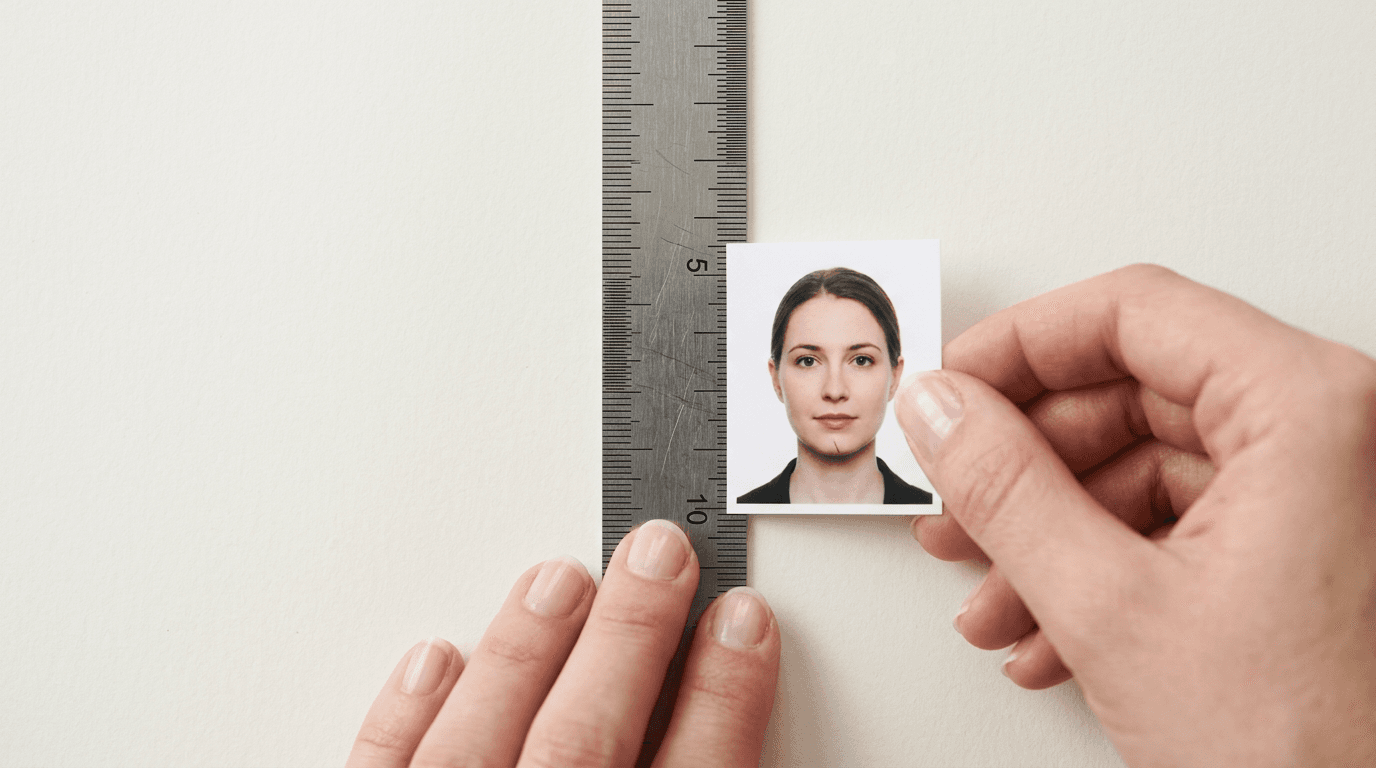
A biometric passport application in Italy is most likely to fail before a human clerk ever looks at it, rejected instantly by the software scanning the physical print or digital file. The moment a parent uploads a baby's image to the Polizia di Stato portal or hands a printed sheet to the Questura officer, an algorithm verifies facial geometry, background uniformity, and contrast. If the chin-to-crown ratio is off by two millimeters, the application halts. When checking your application, the dimensioni foto passaporto must strictly adhere to the 35x45mm standard, or the software will reject the file outright. Knowing how to capture, format, and verify these metrics at home removes the risk of bureaucratic delays.
Quick Summary
The Italian biometric passport requires a 35x45mm photograph where the applicant's face covers the vast majority of the vertical space (32-36mm from chin to crown).
- The background must be light, plain, and uniform, with no shadows or patterns.
- Lighting must be even across the face, eliminating red-eye and harsh contrast.
- The applicant must maintain a neutral expression with eyes open and clearly visible.
- Digital files must be high-resolution JPEGs, while physical prints demand high-quality photographic paper.
Table of Contents
- What the ICAO Biometric Standard Dictates
- Where Home Photography Fails Most Often
- Digital vs Physical Application Formats
- How to Process Infant Photographs
- Software Verification Mechanisms
- Why Proper Framing Saves Weeks
- FAQ
- Recommended Reads
What the ICAO Biometric Standard Dictates
Italy, like all Schengen Area member states, relies on the International Civil Aviation Organization (ICAO) Document 9303 standards for machine-readable travel documents. This document defines the exact geometric and photometric parameters that a facial image must meet to be considered biometric. The standard exists so that facial recognition software at automated border control gates can map the distance between the pupils, the width of the mouth, and the shape of the jawline without distortion.
Millimeter-Precise Facial Framing
The outer dimensions of the physical print must be exactly 35mm in width and 45mm in height. However, the internal framing is where most errors occur. The head, measured from the bottom of the chin to the crown (the top of the head, ignoring hair volume), must occupy between 32mm and 36mm of that vertical space. This means the face dominates the frame and fills almost the entire height of the image. The eyes must be positioned vertically between 20mm and 30mm from the bottom edge of the photograph. When you look at the formato foto passaporto, you are essentially looking at a tight crop that leaves very little room for the upper torso. The top of the shoulders should be barely visible at the bottom edge, providing an anchor for the neck but nothing more.
Background Uniformity and Contrast
The background must be a uniform, light color - typically white, off-white, or light gray. The defining characteristic is not just the color, but the complete absence of texture, patterns, and shadows. The background must contrast sufficiently with the applicant's hair and clothing so that the software can cleanly extract the silhouette of the head. If an applicant with blonde hair stands against a pure white background with harsh frontal lighting, the edges of the hair can blow out, merging with the background and causing a rejection.
Where Home Photography Fails Most Often
Taking a photograph at home seems straightforward until the file is run through validation software. Parents attempting to photograph their infants or themselves frequently encounter three distinct failure modes that look fine to the human eye but instantly trigger a rejection code at the Questura.
The False White Background
Standing in front of a white wall does not automatically produce a white background in a photograph. Household lighting - usually overhead ceiling fixtures emitting warm, yellow-toned light - casts shadows downward. The wall behind the subject is almost always darker than the subject's face because the light source is closer to the subject. This creates a gradient effect behind the head, violating the uniformity rule. Furthermore, the subject's body casts a drop shadow on the wall. To the biometric scanner, a shadow on the background is interpreted as a secondary object or a distortion of the head shape. Fixing this requires distance: the subject must step at least two feet away from the wall, and the light source must be positioned between the subject and the camera, not above them.
Asymmetrical Facial Lighting
Standing next to a bright window is standard advice for portrait photography, but it is fatal for biometric documents. Window light illuminates one side of the face while leaving the other in shadow. Biometric algorithms analyze facial symmetry. If one cheek is brightly lit and the other drops into heavy shadow, the algorithm cannot accurately measure the width of the jaw or the depth of the eye sockets. The lighting must be totally flat and frontal.
Practical rule: If you can see the shadow of the applicant's nose extending across their cheek, the lighting ratio is too high for a biometric document and the photo will be rejected.
Infant Posture and Eye Visibility
Getting a newborn to sit up straight and look at a camera is impossible, yet the biometric standard still demands a frontal view of the face. Parents often attempt to hold the child, resulting in a parent's hand or shoulder appearing in the frame, which violates the rule against secondary objects. The most reliable method is laying the infant on their back on a plain white blanket. However, gravity causes the chin to tuck into the neck, altering the facial geometry. The camera must be held directly above the infant, perfectly parallel to the floor, capturing the eyes open and looking at the lens. Closed eyes, even in newborns, are an automatic rejection in the Italian system.
Digital vs Physical Application Formats
The Italian system accommodates both digital uploads for online appointments and physical prints for in-person submission. A photograph that works flawlessly in one format can fail in the other if not processed correctly. Ensuring the exact misura foto passaporto requires different workflows depending on the medium.
File Size and Compression Limits
For digital submissions, the file must be a JPEG. The physical dimensions translate to pixel counts based on the required resolution. At the standard 600 DPI (dots per inch) required for biometric extraction, a 35x45mm photograph equals roughly 827x1063 pixels. The file size must usually remain under 500 KB to be accepted by government portals. Heavy JPEG compression creates artifacting - blocky, pixelated patches along high-contrast edges, such as where the jawline meets the background. These artifacts confuse edge-detection algorithms. The file must be exported at the lowest compression level that still fits within the file size limit, maintaining an sRGB color profile to prevent skin tones from shifting artificially.
Photographic Paper Specifications
When printing for the Questura, standard copy paper is unacceptable. The image must be printed on high-quality photographic paper, either matte or glossy. The printer must not introduce banding (horizontal lines caused by misaligned print heads) or color casts. If you print a 35x45mm image onto a standard 4x6 inch (10x15cm) sheet using a pharmacy kiosk or a home photo printer, you must ensure the printer does not automatically apply a "fit to page" or "auto-enhance" setting. Auto-enhance increases contrast and saturation, often turning natural skin tones red or orange, while "fit to page" will alter the geometric scale of the print, instantly ruining the chin-to-crown measurement.
How to Process Infant Photographs
Infants represent the most difficult category of biometric photography. The inability to follow instructions means capturing the raw image is only the first step. The raw capture will almost certainly feature a slightly uneven background or a stray shadow. Because altering the face itself is strictly forbidden, the processing must focus entirely on isolating the subject and replacing the background with a pure, uniform tone.
Dedicated software maps the outline of the child's head, separating it from the blanket or car seat they were resting on. Once the background is replaced with a compliant uniform color, the software evaluates the lighting on the face itself. If the photo passaporto italiano dimensioni are correct, but the software detects glare on the skin from a flash, the photo remains non-compliant. The safest approach is capturing the photo in a room flooded with indirect daylight, ensuring the baby's eyes are open, and letting automated tools handle the background segmentation and millimeter cropping.
Software Verification Mechanisms
Before you finalize a photograph, you must understand what the government software is looking for. The algorithms deployed by European border agencies run a sequence of checks the moment the image is ingested.
First, the software searches for the eyes. It calculates the Inter-Pupillary Distance (IPD). If the image is blurred, or if red-eye obscures the pupil, this measurement fails. Second, it maps the nose, mouth, and chin to ensure the head is facing forward, not tilted up, down, or sideways. Even a five-degree tilt (known as yaw or pitch) can trigger a failure. Third, it scans the background for pixel uniformity. It looks for variations in color values; a shadow registers as a cluster of darker pixels, halting the process.
Understanding these mechanisms explains why rules that seem arbitrary - like forbidding glasses - are so strictly enforced. Glasses introduce glare that obscures the pupil, and the frames cast micro-shadows on the cheeks. By stripping away all accessories and demanding flat lighting, the software ensures the cleanest possible map of the underlying facial structure.
Why Proper Framing Saves Weeks
An Italian passport appointment is notoriously difficult to secure in many jurisdictions. If you arrive at the Questura and your printed photos are rejected because the head size is 38mm instead of the maximum 36mm, the officer will not process the application. You will have to leave, obtain new photographs, and potentially wait weeks or months for a new appointment.

Comparing categories of document preparation shows the value of precision. A traditional photography studio understands these metrics but charges a premium and requires a stressful visit for an infant. Unverified mobile phone snaps printed at a kiosk carry a high risk of rejection due to scaling issues. An automated biometric processing tool bridges this gap, taking a mobile phone photograph and applying the exact ICAO Document 9303 geometric templates before generating a printable 4x6 inch file. It ensures the head ratio is perfect, the background is neutralized, and the final output is ready for any standard photo printer, entirely eliminating the risk of a desk rejection.
| Specification | ICAO Standard Requirement | Common Home Photo Failure | Validation Check |
|---|---|---|---|
| Dimensions | 35mm x 45mm | Printed at wrong scale | Ruler measurement at desk |
| Head Height | 32mm to 36mm | Face too small in frame | Digital geometric mapping |
| Background | Uniform, light, no shadows | Gradient lighting, drop shadows | Pixel uniformity analysis |
| Lighting | Even, frontal, flat | Side shadows, harsh contrast | Symmetry mapping |
| Expression | Neutral, eyes open | Smiling, eyes half-closed | Facial feature extraction |
FAQ
What happens if the background is not pure white?
Italian requirements mandate a uniform, light background. While pure white is the safest and most common standard, very light gray or off-white can be accepted provided there are absolutely no patterns, objects, or shadows visible behind the applicant.
Can an infant have their eyes closed in the photo?
No. Biometric standards dictate that the applicant's eyes must be open and clearly visible. For newborns, this often requires patience and multiple attempts to capture a moment when the child is awake and looking toward the lens.
Are pacifiers or headbands allowed for baby passport photos?
Absolutely not. The face must be entirely clear of any obstructions. Pacifiers obscure the mouth and jawline, while headbands alter the visible shape of the head and introduce secondary objects into the frame.
Can I wear my prescription glasses?
It is highly recommended to remove all glasses. Even minor glare on the lenses or shadows cast by the frames will cause the automated software to reject the photograph, as it interferes with eye and cheekbone mapping.
Why did the pharmacy kiosk print my photo at the wrong size?
Kiosks often default to a "fit to page" or borderless printing mode, which stretches the digital file to fill the paper. You must print the 4x6 inch template at exactly 100% scale with no auto-cropping or auto-enhancement enabled to maintain the millimeter-precise facial measurements.