Foto Passaporto Regole: The Technical Guide to Biometric Image Compliance
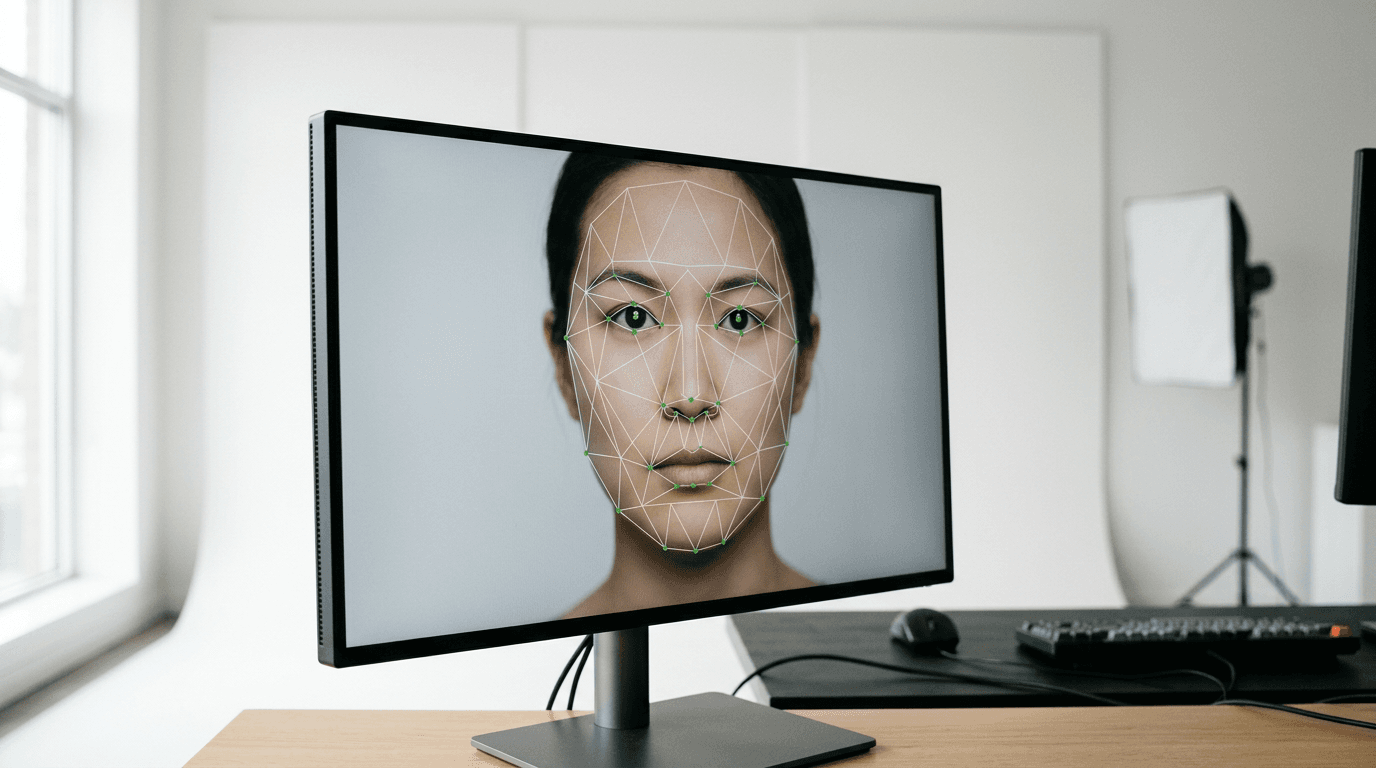
You are standing in front of a government clerk, holding a freshly printed identification image that looks perfectly fine to the naked eye. The clerk scans the image into the system, and a red error box immediately flags a microscopic shadow behind the left ear. The application is paused, the fee is held, and you must start over. Navigating the official foto passaporto regole requires understanding that modern identification images are not photographs - they are biometric datasets. Government software evaluates these files based on geometric measurements, contrast thresholds, and pixel densities that a human reviewer cannot even see.
Quick Summary
A compliant identification image is a strictly formatted biometric record designed for machine-readable travel documents, requiring precise lighting, geometry, and background separation to pass automated verification.
- Facial recognition software relies on static nodal points, meaning any expression alters geometric measurements and causes rejection.
- Shadows cast on the background are interpreted by scanners as physical features, disrupting contour mapping.
- Print submissions must use continuous-tone technology to prevent scanner interference caused by standard inkjet halftones.
- Infant biometric captures require overhead positioning and specific software to account for developing facial proportions.
Table of Contents
- Why ignoring the foto passaporto regole guarantees application rejection
- What the foto passaporto icao framework demands from digital captures
- How facial geometry defines come deve essere la foto per il passaporto
- Where physical prints fail the foto per passaporto elettronico standards
- What a compliant esempio foto passaporto reveals about lighting
- Why infant biometric captures require different positioning techniques
- FAQ
- Recommended Reads
Why ignoring the foto passaporto regole guarantees application rejection
Government processing portals use automated biometric verification systems as their first line of defense. These systems do not look at a face the way a human does; they isolate the subject from the background using contrast gradients. When you capture an image against a white or off-white wall using a single light source, you inevitably cast a drop shadow onto the background behind the neck or shoulders.
To a human, this shadow is obvious context. To a biometric algorithm, a shadow alters the background's uniformity, shifting its hex color value. When the software attempts to draw a clean vector line around the head to map the silhouette, it encounters the shadow and interprets it as a physical extension of the jawline or hair. This creates an asymmetrical head shape in the data model, prompting an immediate "background non-uniformity" or "unnatural facial contour" error.
Similarly, digital alterations to remove these shadows often cause rejections. Standard background-removal tools use edge-smoothing techniques that blur the fine details of hair. When immigration software scans the image, it detects this artificial blurring as digital manipulation - a strict violation of anti-forgery protocols. Passing the automated checks requires either an entirely flat lighting setup that prevents shadows from forming in the first place, or specialized biometric software that replaces the background pixel-by-pixel without compromising the edge contrast of the subject.
What the foto passaporto icao framework demands from digital captures
The global baseline for machine-readable travel documents is established by the International Civil Aviation Organization (ICAO) under Document 9303. Understanding the foto passaporto icao standards explains why seemingly high-quality smartphone pictures are routinely denied.
ICAO standards dictate that an image must provide sufficient high-frequency detail for iris recognition and facial node mapping. This requires strict adherence to color profiles and resolution. Digital files must typically be submitted in the sRGB color space. If a camera or smartphone defaults to the Display P3 color space or a CMYK profile, the government portal will compress and convert the file. This conversion strips out subtle skin tone variations and can create posterization effects - flat bands of color on the cheeks and forehead.
Furthermore, heavy JPEG compression destroys biometric data. When you send an image through a messaging app to print it, the app compresses the file to save bandwidth. This introduces blocky artifacts around the eyes and mouth. Because facial recognition algorithms measure the exact distance between the pupils and the center of the lips, these compression blocks shift the perceived boundaries of the features by a few pixels. In the realm of biometric matching, a two-pixel shift in pupil location results in a different mathematical identity.
Practical rule: Never transfer your final biometric image through a messaging app or social media platform; always move the original file directly via email as an attachment, or use a USB drive to preserve the uncompressed file structure.
How facial geometry defines come deve essere la foto per il passaporto
The core of any biometric verification is the geometric map of the face. If you are researching come deve essere la foto per il passaporto, the visual requirements all serve the function of keeping this geometric map consistent.
Facial mapping relies on a neutral expression because muscles shift the location of nodal points. A smile raises the cheeks, narrows the visible aperture of the eyes, and stretches the lips. This alters the vertical distance between the bottom of the chin and the tip of the nose. If your passport is scanned at an automated border gate, the gate's camera captures your face in a neutral state. If your printed document features a smile, the two datasets will not match, forcing a manual intervention by a border guard.
The subject's head must also occupy a specific percentage of the total image area. For standard 35 x 45 mm formats used in Europe, the UK, and Australia, the head (measured from the bottom of the chin to the crown) must measure between 32 and 36 mm. If the head is too small, the software cannot resolve the iris data. If the head is too large, the algorithm cannot detect the outline of the head against the background.
Comparison Table: Standard vs. Infant Biometric Tolerances
| Specification | Adult Standard (ICAO) | Infant Allowance (Under 1 Year) | Failure Mode if Violated |
|---|---|---|---|
| Head Height | 70 - 80% of total image | Often relaxed to 50 - 80% | Software fails to detect facial boundaries. |
| Expression | Strictly neutral, mouth closed | Visible gums allowed, no crying | Nodal distance mismatch at border control gates. |
| Eye Line | Middle of image | Allowed slightly lower | Cropping template cuts off the forehead or chin. |
| Background | Pure white / light grey | Blanket/sheet texture occasionally visible | Failed automated background extraction. |
Where physical prints fail the foto per passaporto elettronico standards
E-passports contain a microchip that stores a high-resolution JPEG2000 file of your face. When you submit a physical photograph for an application, the government office scans your print to digitize it for the chip. This transition from digital file to physical print and back to digital file is where the foto per passaporto elettronico standards break down for home users.
Standard home inkjet printers create images using halftones - microscopic dots of cyan, magenta, yellow, and black ink separated by white space. When a government flatbed scanner reads an inkjet print, the scanner's optical sensor grid clashes with the printer's dot grid. This collision creates a Moiré pattern, an optical illusion of wavy lines traversing the face. The biometric software interprets these wavy lines as deep facial scars or tattoos, immediately rejecting the image.
Compliant prints require continuous-tone technology, such as dye-sublimation printers found in retail kiosks, which blend the ink seamlessly without a dot pattern. Furthermore, the paper substrate matters. High-gloss paper reflects the internal light of the government's flatbed scanner, creating blown-out white patches on the forehead or nose. Matte or semi-matte photographic paper prevents these specular highlights and preserves the continuous tone necessary for a clean scan. For those generating their own templates, reviewing global passport photo requirements ensures the print matches the exact dimensions expected by the processing center's cropping tool.
What a compliant esempio foto passaporto reveals about lighting
An official esempio foto passaporto never looks like a professional portrait because portrait photography uses shadow to create depth and character. Biometric photography requires flat, featureless illumination.

Achieving this requires specific lighting geometry. A single overhead light casts deep shadows under the eyebrows (obscuring the eyes) and under the nose. A single light from the front flattens the face but casts a hard shadow on the wall behind. The standard approach requires two light sources positioned at 45-degree angles in front of the subject, diffusing the light evenly across both sides of the face while simultaneously illuminating the background.
This setup also manages catchlights - the small white reflections in the eyes. Biometric standards require the eyes to be clearly visible to measure the iris. If a ring light is used, it creates a circular reflection that can cover the pupil entirely, rendering the eye unreadable to the software. A proper capture places small, unobtrusive catchlights well away from the pupil's center. For parents applying abroad, checking specific regional nuances, such as infant passport photo specifications for the United States, dictates how rigidly these lighting rules are enforced for minors compared to adults.
Practical rule: If you are capturing an image at home, face a large window on an overcast day; the clouds act as a massive diffuser, providing the shadowless, flat lighting that biometric software requires without needing external equipment.
Why infant biometric captures require different positioning techniques
The infrastructure built to capture and process adult biometric data fails entirely when applied to newborns and infants. Standard photo booths require the subject to sit upright on a stool and focus on a camera lens at eye level. Infants under six months lack the cervical spine strength to support their own heads, making upright seating impossible and causing the chin to drop into the chest, hiding the neck entirely.
Attempting to hold the infant upright introduces foreign objects into the frame - hands, arms, or the parent's torso. Biometric software is programmed to reject any image containing a second person or unrecognized limbs. The solution requires abandoning the vertical plane entirely. Laying the infant on their back on a plain white sheet allows gravity to stabilize the head. The camera must then be positioned directly parallel to the floor, shooting straight down to avoid skewing the facial geometry.
Even with correct positioning, an infant's natural proportions conflict with standard algorithms. Babies have disproportionately large foreheads and small chins. When a parent attempts to frame the face according to adult guidelines, the software often misidentifies the eye line. Automated biometric engines designed specifically for minors adjust the grid to account for these proportional differences. Parents navigating the United Kingdom baby passport photo guidelines or the Canadian visa and passport photo dimensions must rely on tools that verify compliance against infant-specific parameters, rather than guessing with standard adult templates.
Furthermore, capturing a neutral expression from a newborn is a matter of volume and timing. Infants cannot follow instructions to stop smiling or close their mouths. Capturing a compliant image often requires shooting in burst mode during a brief window of calm, then relying on technical troubleshooting for biometric images or specialized software to extract the single frame that meets the criteria. The process relies heavily on understanding that patience and the right angle matter more than professional studio equipment, especially when adhering to strict Australian documentation standards for minors.
FAQ
Can I wear prescription glasses in a biometric image? Most international standards, including ICAO guidelines, heavily discourage or outright ban glasses. Even anti-reflective coatings create microscopic specular highlights that obscure the pupil, and thick frames can cast shadows over the orbital bone, altering the geometric map of the face.
Why are digital red-eye reduction tools forbidden? Red-eye reduction software works by detecting red pixels in the eye and replacing them with black pixels. This alters the organic shape of the pupil and destroys the high-frequency detail of the iris required for automated identification.
What background color is strictly required? While pure white is common, many European and Asian jurisdictions require a light grey or cream background to provide better contrast against pale skin tones and blond hair, preventing the subject from blending into the background.
Does a baby's mouth need to be completely closed? While adult standards demand a tightly closed mouth to maintain a neutral expression, government guidelines typically allow infants under one year to have their mouths slightly open, provided no adult hands or pacifiers are visible in the frame.