Demystifying foto passaporto icao: Technical Standards for Biometric Identification
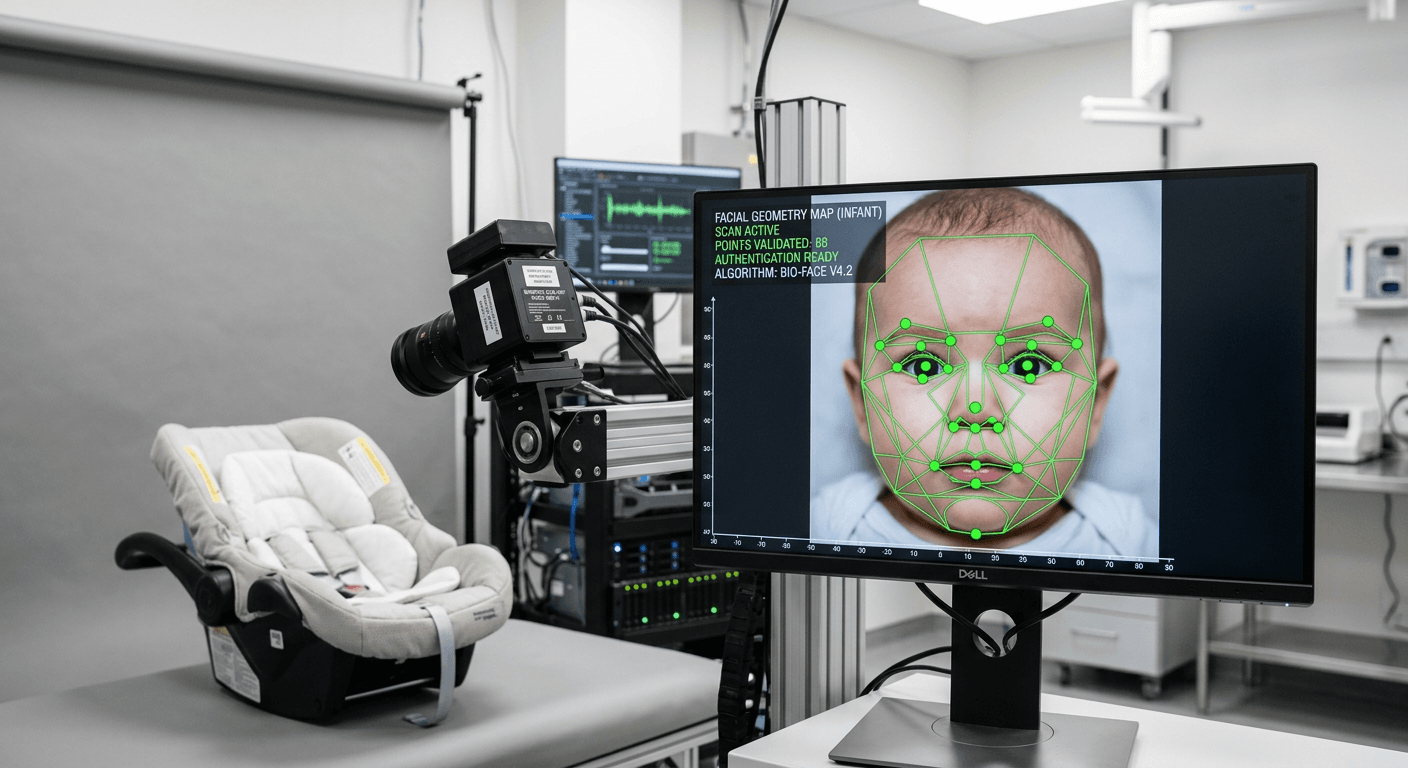
Most applicants assume a document submission is rejected because the subject blinked or looked away, but border agencies actually dismiss the majority of files due to software-detected contrast anomalies that remain invisible to the naked eye. The global framework governing these specific tolerances is the foto passaporto icao standard. When a border control scanner maps a face, it does not see a photograph; it interprets a topographical depth map generated from the high-frequency pixel transitions between light and shadow. A single errant shadow or a heavily compressed file instantly invalidates the spatial geometry the software expects to find, triggering an automated rejection before a human official ever opens the file.
Quick Summary
Biometric identification photography relies on strict mathematical proportions and algorithmic contrast checks rather than visual aesthetics. A compliant image must map facial geometry without optical distortion, preserve uncompressed edge data, and retain specific metadata markers to prove the image remains untampered.
- Facial proportions must strictly occupy 70 to 80 percent of the vertical frame.
- Compression artifacts from messaging apps will instantly trigger automated software rejection.
- Drop shadows and specular highlights alter the machine-read topographical map of the face.
- Manual background removal tools leave alpha-channel anomalies that fail anti-tampering validation.
Table of Contents
- Why software-detected contrast ratios trigger instant rejection
- How background subtraction alters head-size calibration
- When shadows disguise themselves as facial asymmetry
- Resolution limits and compression artifacts in digital formatting
- Where manual editing fails government metadata checks
- Why short focal lengths distort infant facial geometry
Why software-detected contrast ratios trigger instant rejection
The International Civil Aviation Organization (ICAO) Document 9303 outlines the exact technical specifications required for machine-readable travel documents. Government intake software translates the uploaded image into a high-contrast grayscale grid to locate specific nodal points on the face. The algorithms calculate the exact pixel distance between the pupils, the width of the nasal bridge, and the distance from the bottom of the chin to the lower lip. If the contrast ratio between the iris and the surrounding sclera drops below a set threshold, the software cannot lock onto the eyes and aborts the scan.
This failure mode frequently occurs when applicants attempt to brighten an underexposed image using standard smartphone sliders. Increasing the global exposure artificially lifts the black point of the image, washing out the critical edge fidelity around the eyes and mouth. The image looks brighter to the human eye, but the algorithm sees a flat, unreadable surface lacking the necessary data points to build a biometric profile. Reviewing specifications for infant documentation reveals that infants are held to these exact same contrast thresholds, making proper ambient illumination mandatory rather than optional.
Overexposure carries the identical risk. When a subject is placed too close to a strong window light, the sensor clips the highlights on one side of the face. Clipped highlights contain zero color or contrast data; they are recorded as pure white pixels (RGB 255, 255, 255). When the biometric scanner hits this patch of dead data on the cheek or forehead, it logs a structural anomaly and rejects the file.
How background subtraction alters head-size calibration
A valid foto per passaporto elettronico requires a uniform, plain background because the intake software uses that negative space to establish the outer boundaries of the skull. The most heavily enforced rule in biometric photography is the chin-to-crown measurement, which mandates that the head must occupy exactly 70 to 80 percent of the total image height. The algorithm finds the lowest pixel of the chin and the highest pixel of the skull (ignoring hair volume) and measures the distance between them against the total vertical pixel count of the canvas.
When a background contains gradients, textures, or household objects, the edge-detection algorithm struggles to separate the subject's shoulder line or hair from the environment. If the software misidentifies a dark shadow on the wall as part of the subject's hair, it calculates a false crown height. This false measurement artificially inflates the vertical head size, pushing it past the 80 percent limit and resulting in a dimension-based rejection.
Practical rule: Always position the subject at least 50 centimeters away from the physical background to prevent the edge-detection algorithms from merging the subject's hair with wall shadows.
Modern processing pipelines circumvent this by isolating the subject using semantic segmentation masks before standardizing the canvas. However, the background removal must be mathematically flawless. If you consult standard government biometric photo requirements, you will find that a segmented background must be filled with a solid, uniform hex color code (typically pure white or light grey) without introducing digital halos around the subject.
When shadows disguise themselves as facial asymmetry
General warnings about "bad lighting" fail to help applicants because not all shadows trigger the same rejection codes. Government software expects a face to exhibit bilateral symmetry. Lighting an image from a single side creates distinct failure modes that look like ordinary shadows to a parent but read as physical deformities to a biometric scanner. When this happens, applicants face one of four distinct technical failures.
First, cast shadows across the face change the perceived geometric center. If a strong light from the right casts a shadow from the nose onto the left cheek, the algorithm reads the dark boundary of the shadow as the actual edge of the nose. This shifts the calculated center line of the face, throwing off the symmetry check entirely.
Second, drop shadows on the background ruin the uniformity check. A harsh shadow thrown onto the wall behind the neck creates a dark gradient. The scanner searches for a clean silhouette; when it hits the shadow, it interprets a sudden expansion of the subject's neck width.
Third, specular highlights act as data voids. A direct camera flash bouncing off sweat or oily skin creates sharp white reflections. Because biometric scanners map depth via micro-contrast, a specular highlight on the forehead registers as a physical hole in the subject's skull.
Fourth, color temperature mismatches fail skin tone validation. Mixing blue window light on one side of the face with orange tungsten room lighting on the other confuses the white balance algorithm. The software flags the face as heavily modified or artificially rendered. Checking resources for resolving common rejection codes is useful, but diagnosis requires identifying which of these four errors you have introduced.
To diagnose your lighting setup before submission, ask yourself these four questions:
- Is the lighting triangle (a small patch of light under the eye) clearly visible on the shaded cheek?
- Does the background hold a consistent RGB value both directly behind the neck and in the upper corners?
- Does the chin cast a secondary, hard edge onto the collarbone?
- Are the pupils sharply separated from the dark tones of the iris?
Resolution limits and compression artifacts in digital formatting
Creating a compliant foto digitale formato tessera involves strict adherence to file formatting protocols. Most intake portals mandate a minimum pixel density of 600 Dots Per Inch (DPI) for print or equivalent pixel dimensions (often 600x600 or 1200x1200 pixels) for digital uploads. Resolution dictates how much data the scanner has available to map the facial geometry.
However, resolution is routinely destroyed by improper handling before the file ever reaches the government server. When a high-resolution image is transferred via WhatsApp, iMessage, or standard email attachments, the software applies aggressive JPEG compression to save bandwidth. JPEG compression operates using a Discrete Cosine Transform (DCT) that groups pixels into 8x8 blocks and averages their color values.
This block-averaging technique causes chroma subsampling. It intentionally throws away color information along sharp edges to shrink the file size. Around the lips and the eyes, this creates digital artifacting - blocky, jagged pixels that blur the precise boundary between the iris and the sclera. A file that originally contained enough edge data to pass the biometric scan will fail instantly after being compressed by a messaging app, even if the pixel dimensions remain identical.
Practical rule: Never compress or transfer a finished biometric file via mobile messaging applications; always download the original file directly to a local drive to preserve the edge data and metadata intact.
Additionally, the color space must be constrained to sRGB. Professional cameras often default to Adobe RGB, which captures a wider spectrum of colors. When an Adobe RGB file is uploaded to a government portal designed for sRGB, the colors render flat and washed out. The skin tones turn ashen, which triggers a rejection based on unnatural coloration.
Where manual editing fails government metadata checks
Many applicants attempt to fix background or lighting issues by manually editing the file in software like Photoshop. This approach almost guarantees rejection because it fundamentally misunderstands what the intake software is verifying. Border agencies do not only scan the visible pixels of a fototessera o foto tessera; they read the Exchangeable Image File Format (EXIF) data attached to the file.
EXIF data acts as a digital fingerprint, recording the date, camera model, lens aperture, and the software used to process the image. If the intake software detects "Adobe Photoshop" in the creator tag, the file is automatically flagged for manual review or rejected outright under anti-tampering regulations. Governments forbid manual retouching because it is impossible to verify if the underlying facial geometry was altered along with the background.
Furthermore, manual background removal leaves microscopic anomalies in the alpha channel. When a user manually masks out a background, they inevitably leave behind jagged edge pixels or semi-transparent halos around the hair. Automated verification systems run high-frequency edge-detection filters designed specifically to spot these manual masking errors.
| Verification Dimension | Manual Studio Editing | Automated Compliance Pipeline |
|---|---|---|
| Edge Processing | Leaves jagged alpha-channel anomalies | Generates mathematically clean segmentation masks |
| Metadata Integrity | Injects commercial software flags into EXIF | Preserves original camera capture data |
| Proportional Scaling | Relies on human visual estimation | Crops strictly to 70-80% chin-to-crown algorithms |
| Artifact Control | Often introduces manual compression artifacts | Sustains baseline sRGB and 600 DPI integrity |
Using dedicated compliance pipelines is the only way to format the image without triggering tampering alarms. For instance, United Kingdom infant standards require strict adherence to unmanipulated capture data, meaning any attempt to manually erase a parent's supporting hand from the background will corrupt the file's integrity.
Why short focal lengths distort infant facial geometry
The hardware used to capture the image dictates the physical accuracy of the subject's face. The primary camera on modern smartphones utilizes a wide-angle lens, typically with a focal length equivalent to 24mm or 26mm on a full-frame sensor. Wide-angle lenses suffer from severe perspective distortion when placed close to a subject.
If you hold a smartphone thirty centimeters away from an infant's face to fill the frame, the lens artificially inflates the size of the objects closest to it. The nose will appear 20 percent larger than reality, the inter-pupillary distance is compressed, and the ears recede behind the cheeks. The biometric software constructs its 3D model based on this distorted 2D image. When the resulting geometrical map is compared against the child at the border crossing, the proportions will not match, invalidating the document.
To capture accurate optical geometry, the camera must replicate the compression of a standard portrait lens (approximately 50mm to 85mm equivalent). You achieve this by standing at least 1.5 meters away from the subject and utilizing the optical telephoto lens (the 2x or 3x setting) on the device, rather than bringing a wide-angle lens closer to the face. The increased physical distance flattens the perspective, aligning the nose, eyes, and ears on their proper planes. Following Australian newborn photo guidelines or any other strict international standard requires mastering this physical distance rule before the shutter is even pressed.
FAQ
What is the standard ICAO size for biometric photos? The baseline international standard mandates a physical print size of 35x45mm or 2x2 inches, depending on the jurisdiction. The digital equivalent typically requires a minimum of 600x600 pixels at 600 DPI, with the head occupying 70 to 80 percent of the vertical frame.
Can I use a smartphone to capture a compliant image? Yes, provided you use the telephoto lens (2x or 3x zoom) from a distance of at least 1.5 meters to prevent wide-angle barrel distortion, and you export the original file without compressing it through messaging applications.
Why do biometric scanners reject images with open mouths? An open mouth fundamentally alters the resting geometry of the jawline and chin. The scanner measures the distance from the bottom of the chin to the lower lip; an open mouth stretches this distance, invalidating the structural map of the face.
How long do I have to submit a digital passport photo before it expires? Most international regulations stipulate that a biometric photograph must be taken within the last six months to accurately reflect your current facial geometry. For rapidly changing infant faces, many agencies prefer images captured within the last three months.
Do infants need to keep their eyes fully open? While adult biometric standards demand fully open eyes to map the iris and pupil against the sclera, most international guidelines provide exemptions for newborns and young infants under twelve months, allowing their eyes to be closed or partially open.