How to Obtain a Compliant Passport Photo: Expert Guide and Tool Comparison for 2026
Obtaining a high-quality passport photo requires strict adherence to international biometric standards, which often vary significantly between jurisdictions. Whether you are preparing a foto passaporto for an Italian document or a specific passport format photo for international travel, the primary challenge remains consistent: satisfying automated government verification systems. Understanding the nuances of lighting, background, and head positioning is essential to avoid application rejection and the associated administrative delays.

Quick Summary {#quick-summary}
Achieving a compliant passport photo requires precise alignment with biometric regulations, including uniform background, neutral expression, and specific head-size dimensions. By utilizing modern digital tools, applicants can streamline the process, ensuring their final fototessere passaporto images meet official government standards through automated validation.
- Uniform, neutral backgrounds are mandatory for biometric facial recognition.
- Standardized lighting prevents shadows that can trigger software rejection.
- Automated verification tools save time by correcting cropping and orientation automatically.
- Most governments now require high-resolution digital files for electronic applications.
Table of Contents {#table-of-contents}
- Understanding Passport Photo Requirements
- Categories of Passport Photo Solutions
- AI-Powered Online Generators
- Traditional Retail Kiosks
- Professional Photography Studios
- DIY Photography Setup
- How to Choose the Right Method
- FAQ
- Recommended Reads
Understanding Passport Photo Requirements {#understanding-passport-photo-requirements}
Government-compliant foto per passaporto elettronico regulations are designed to facilitate facial recognition software. At a minimum, every official identification photo must feature a neutral facial expression, closed mouth, and eyes clearly visible, free from obstruction by hair or glasses. Lighting must be even, with no harsh shadows cast on the face or the backdrop, which should ideally be a plain, light-colored surface.
Technical specifications go beyond mere appearance. Official standards typically dictate the precise distance between the top of the head and the chin, often requiring the subject to occupy 70-80% of the image frame. When navigating these requirements, you can find helpful resources at the official help center to ensure your dimensions are accurate. Discrepancies as minor as a slightly tilted head can lead to an immediate rejection during the submission phase of your passport application.
Categories of Passport Photo Solutions {#categories-of-passport-photo-solutions}
| Category | Key Features | Pros | Cons | Target Audience |
|---|---|---|---|---|
| AI Generators | Instant processing, online validation | Fast, cost-effective, high convenience | Requires smartphone proficiency | Busy families, expats |
| Retail Kiosks | Physical prints on-site | Accessible in major stores | Potential for poor lighting | General travelers |
| Pro Studios | Lighting expertise, physical prints | High quality, hands-off process | Most expensive, requires visit | Business travelers |
| DIY Setup | Full control over timing | Free, private | High risk of non-compliance | Tech-savvy users |
AI-Powered Online Generators {#ai-powered-online-generators}
AI-powered tools leverage algorithmic image processing to automate the tedious aspects of photo preparation. These platforms typically use computer vision to detect facial landmarks, automatically crop the image to the required aspect ratio, and replace busy or shadowed backgrounds with the compliant solid color required by government agencies.
Pros
- Real-time compliance checking against specific national standards.
- Significantly faster than scheduling a professional appointment.
- High-resolution exports suitable for both digital and print applications.
Cons
- Performance depends heavily on the quality of the initial photograph.
- Requires a stable internet connection and access to a printer if physical copies are needed.
Traditional Retail Kiosks {#traditional-retail-kiosks}
Retail kiosks located in pharmacies or transit hubs remain a popular choice due to their physical presence. These machines are designed for the sole purpose of taking biometric images, usually featuring a built-in seat and integrated lighting that attempts to normalize exposure levels for different skin tones.
Pros
- Immediate availability without needing to download software.
- Physical prints provided instantly, meeting standard dimension requirements.
Cons
- Lighting is often fixed and may not account for individual height differences.
- Limited to standard passport formats; may not support specific visa or niche document requirements.
Professional Photography Studios {#professional-photography-studios}
For those requiring absolute peace of mind, traditional photography studios offer a specialized service. A professional photographer understands how to manipulate softbox lighting and reflectors to eliminate shadows - a common cause of rejection in biometric systems.
Pros
- Professional guidance on posture and expression.
- Guaranteed technical quality regarding lens choice and focal length.
Cons
- High cost compared to digital alternatives.
- Requires travel and adherence to studio operating hours.
DIY Photography Setup {#diy-photography-setup}
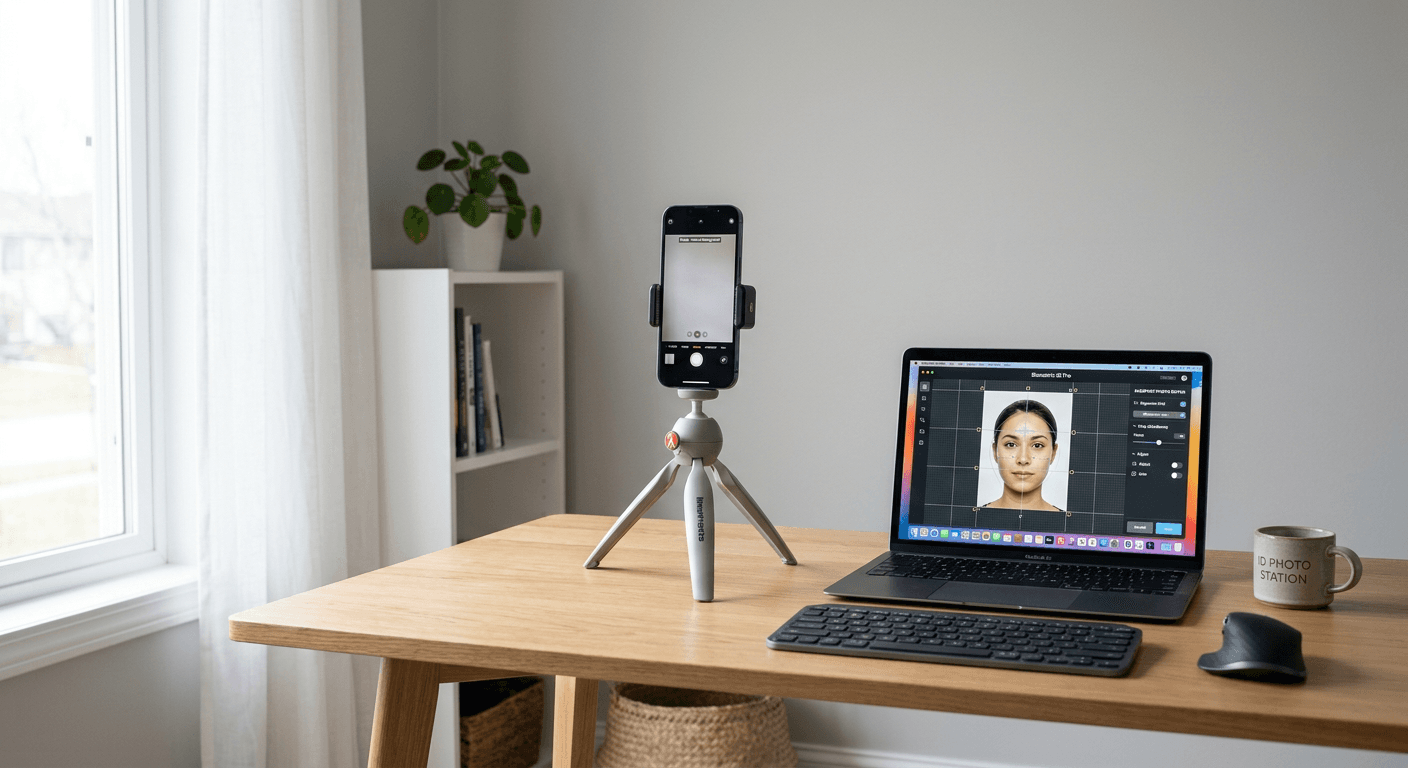
Taking a photo at home is feasible provided you have a clean wall, natural light, and a high-resolution camera. The difficulty lies in post-processing. Creating a compliant file often requires software tools that can guide you through the process of aligning the chin and eyes correctly within the frame. If you are photographing infants, special techniques - such as capturing a baby passport photo - are often necessary to ensure compliance while keeping the child calm and still.
How to Choose the Right Method {#how-to-choose-the-right-method}
When selecting the optimal method, prioritize the complexity of your document requirements. Passport renewal often follows standard, well-documented rules, whereas visa applications might demand specific sizing or background colors that deviate from international standards. Before choosing a route, verify if your target country requires a digital upload or a physical print, as this will dictate your necessary output format.
Cost is a secondary factor, but remember that a rejected photo application incurs both time costs and potential re-submission fees. If you choose an online solution, ensure it includes automated background segmentation. For families, the convenience of home-based solutions is often the deciding factor, especially when dealing with infant passport photo requirements which require more flexibility than standard adult shots.
FAQ {#faq}
- Can I wear my glasses in my passport photo? No, most jurisdictions now mandate that eyes must be fully visible without reflections or frames obstructing the pupils.
- Does my baby need to look at the camera? While it is ideal, most government guidelines allow for some flexibility with infants; check your specific country's official guidelines regarding child head position.
- What is the most common reason for rejection? Insufficient lighting causing shadows on the background or face is the primary reason for automated system rejection.