Best Passport Photo Maker Tools for 2026: Online Solutions Compared
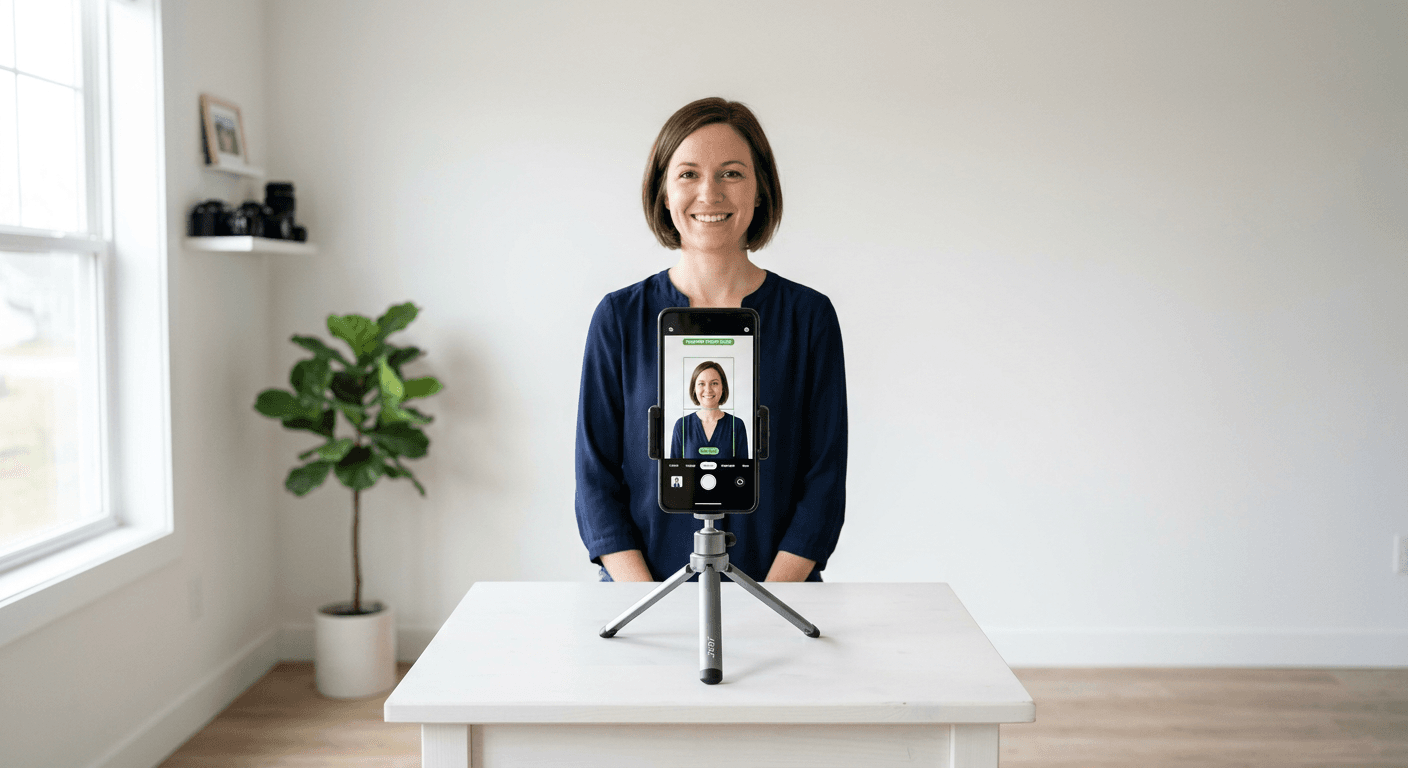
Creating a professional-grade image for identification documents has shifted from specialized photography studios to accessible digital workflows. Whether you need to renew a travel document or apply for a visa, using a dedicated passport photo maker can streamline the process significantly. By leveraging high-resolution smartphone cameras and advanced image processing, these platforms ensure your final output meets the rigorous biometric requirements set by international authorities.
Quick Summary {#quick-summary}
An online passport photo generator is a digital tool that automatically crops, resizes, and validates images according to specific government biometric standards. These platforms use AI to handle background removal and head-positioning, ensuring compliance for passport and visa applications.
- AI-driven automated compliance checks.
- Instant background removal and lighting adjustment.
- Print-ready and digital-file formatting.
- Significant cost and time savings compared to physical studios.
Table of Contents {#table-of-contents}
- Quick Summary
- Comparison of Online Photo Solutions
- AI-Driven Automated Platforms
- Retail Kiosk and Local Printing Services
- Manual Image Editing Software
- How to Choose the Right Tool
- FAQ
- Recommended Reads
Comparison of Online Photo Solutions {#comparison-of-online-photo-solutions}
| Feature | AI-Automated Generators | Retail Printing Kiosks | Manual Editing Software |
|---|---|---|---|
| Compliance Check | Advanced/Built-in | Basic/None | User-Dependent |
| Speed | Under 60 seconds | Requires travel time | Time-consuming |
| Cost | Low to Moderate | Moderate | Free to High |
| Best For | Infants & busy travelers | Last-minute physical prints | Skilled DIY photographers |
AI-Driven Automated Platforms {#ai-driven-automated-platforms}
AI-powered tools represent the most efficient way to make passport photo files that meet international standards. These services typically feature biometric verification engines that analyze head tilt, eye positioning, and lighting consistency. They are particularly useful for parents needing to manage an infant passport photo session, where keeping a child still in a studio setting is often impossible.
These platforms work by taking your raw smartphone input and performing a background segmentation process. Once the subject is isolated, the software resizes the image to the specific pixel dimensions required by your destination country. Because they maintain a database of global requirements, they remove the guesswork involved in selecting the correct aspect ratio for diverse identity documents.
Pros:
- Automated compliance guarantees reduce rejection rates.
- Specifically designed to handle difficult subjects like infants.
- Generates both digital files and print-ready templates.
Cons:
- Some premium features may require a paid subscription.
- Dependent on the quality of the initial raw photo captured.
Retail Kiosk and Local Printing Services {#retail-kiosk-and-local-printing-services}
Retail kiosks provide a hybrid solution, combining the physical equipment of a pharmacy or supermarket with digital convenience. Many modern kiosks have integrated software that walks the user through the process of aligning their face with a digital guide on the screen. Once the software validates the photo, the kiosk outputs high-quality prints on regulation-grade paper immediately.
This approach is ideal for individuals who are not comfortable with digital file management or who require physical photos for an in-person application. While these kiosks often eliminate the need to schedule an appointment, users should verify if the facility uses specialized lighting, as standard overhead store lights can sometimes create unwanted shadows that violate biometric photo software standards.
Pros:
- Instant delivery of physical photo prints.
- Accessible in most major retail locations.
- Often less expensive than visiting a professional photographer.
Cons:
- Lighting consistency can be poor compared to home-controlled environments.
- Limited to standard passport sizes; might not support specific visa requirements.
Manual Image Editing Software {#manual-image-editing-software}
For professional photographers or advanced users, manual editing software provides full control over the composition of the image. This route requires a deep understanding of government guidelines, including exact head height, margin requirements, and specific resolution (often expressed in DPI or pixels). Without using a specialized digital passport photo generator, users must manually verify each metric themselves.
While this method is cost-effective if you already own professional imaging software, it carries the highest risk of rejection. Even a slight miscalculation in the crop ratio can lead to a rejected application by immigration authorities. This method is best reserved for those who have a strong grasp of photography lighting and post-processing techniques.
Pros:
- Absolute creative control over lighting and color balance.
- No ongoing subscription costs if you already own software.
Cons:
- High risk of human error in meeting technical compliance.
- No automated verification against government databases.
How to Choose the Right Tool {#how-to-choose-the-right-tool}
When selecting a tool to make passport photo files, your primary focus must be on compliance. Government agencies have strict, non-negotiable rules regarding shadows, background color, and facial expression. If you are preparing an infant passport photo, prioritize tools that offer AI-based background removal, as getting a toddler to sit against a plain white wall is frequently the most difficult part of the process.
Second, consider your submission method. If you are applying online, you need a high-resolution digital file that meets specific file size limitations. If you are applying at a consulate, check whether they require physical prints. A versatile service will provide both formats, allowing you to use the same validated image for both your digital upload and your physical application packet.
FAQ {#faq}
Can I use a regular photo for my passport?
Yes, as long as it meets specific biometric requirements. It must have a plain, light-colored background, neutral facial expression, and no shadows across the face. Most online tools will verify these elements for you.
Is it safe to upload my photo to a passport generator?
Reputable platforms prioritize user privacy and typically delete uploaded images from their servers after a short processing period. Always check the privacy policy of the service you choose to understand how your biometric data is handled.
Will my photo be rejected if it's not perfect?
Governments are strict. Even minor errors like a slight tilt or incorrect head size can result in a rejection. This is why using an automated service that guarantees compliance is significantly safer than editing a photo manually.