5 Ways to creare foto tessera Online Without a Studio in 2026
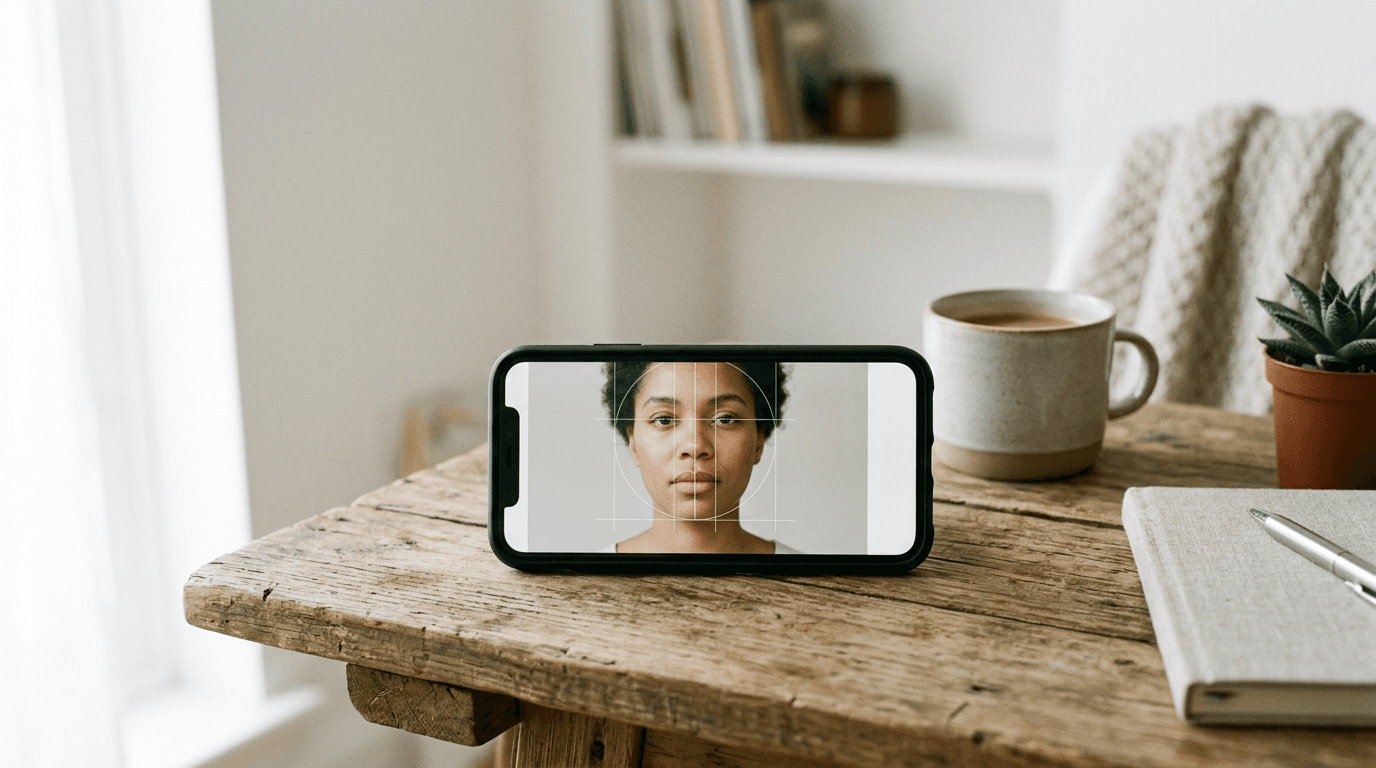
A rejected visa application at a foreign consulate often comes down to a shadow falling just behind the applicant's left ear, or a digital upload failing a pixel-ratio check. When applicants decide to creare foto tessera online rather than visiting a physical photography studio, they frequently underestimate how rigidly government algorithms measure facial biometrics. The shift away from retail photography means the applicant now bears the absolute responsibility for lighting, background isolation, and precise dimension scaling. Achieving a compliant foto digitale formato tessera requires more than simply cropping a standard portrait; it demands an intentional workflow that understands consular requirements and enforces them on raw mobile captures before submission.
Quick Summary
Creating acceptable fototessere passaporto from a mobile upload requires software capable of enforcing strict biometric geometry and background isolation. This guide evaluates five distinct platforms based on their validation mechanics, output limits, and commercial models to determine which workflow suits different application types.
- Dedicated compliance tools enforce government dimensions automatically but gate the final download behind a strict paywall.
- General design applications offer framing tools at no cost but leave the critical biometric alignment entirely to user guesswork.
- Broad artificial intelligence models frequently struggle with fine details like complex hair outlines, risking rejection.
- Selecting the right approach depends entirely on your original image quality and your tolerance for document rejection risk.
Table of Contents
- The structural barriers to creare foto tessera successfully
- Buying Guide / How to Choose
- 1. Canva
- 2. Passport Photo Online
- 3. Fotor
- 4. IDPhoto4You
- 5. YouCam Online Editor
- Mapping the right tool to your workflow
- Recommended Reads
The structural barriers to creare foto tessera successfully
Government border agencies do not visually inspect digital identity images as a first step; they route them through validation software that measures exact geometric ratios. If the distance from the subject's chin to the crown of their head falls outside a specified millimeter range, the system rejects the file automatically. Mobile smartphone cameras inherently distort these proportions when held too closely to the face, introducing a wide-angle lens effect that widens the nose and narrows the ears.

Correcting these optical distortions requires specific scaling templates. When adjusting the crop for a North American application, checking a dedicated United States baby passport photo guide clarifies the required chin-to-crown ratio, which differs significantly from European standards. Furthermore, lighting inconsistencies create artificial contours. A domestic living room rarely provides the flat, even illumination required to prevent shadows on the wall behind the subject. Consulting the United Kingdom baby passport photo guide reveals that shadows on the background are grounds for instant rejection by the validation portal.
Practical rule: Never evaluate a digital identity portrait by how flattering it looks; evaluate it strictly by how visibly clear the boundary is between the subject's shoulders and the background behind them.
Buying Guide / How to Choose
Comparing online image generators requires categorizing them by the underlying job they perform. We classify these tools along an axis of Platform Utility, separated into four distinct categories:
- General Design Platform: Software focused on broad graphic manipulation and visual layouts. These tools provide physical dimensions but lack biometric measuring features.
- Dedicated Compliance App: Software built strictly around biometric validation and government regulations, actively warning the user when a photo fails a dimensional check.
- Automated AI Suite: Consumer photo editors that deploy general-purpose artificial intelligence for automatic background masking and replacement, prioritizing speed over strict document rules.
- Manual Utility: Basic, browser-based interfaces where the user manually aligns graphical overlays to execute the crop, without any algorithmic intervention.
Before uploading sensitive biometric data to any of these platforms, reviewing the provider's privacy policy confirms how long the servers retain the original file after the final export.
Comparison Table
| Product | Platform Utility | Features | Pros | Cons | Target Audience |
|---|---|---|---|---|---|
| Canva | General Design Platform | Drag-and-drop frames, JPG/JPEG export, Web/App access | Free cropping tool, intuitive interface, cloud storage | No biometric validation, no auto-background removal, relies on user alignment | Users with pre-lit, compliant original photos |
| Passport Photo Online | Dedicated Compliance App | AI background removal, 200% refund guarantee, physical prints | Unlimited free retakes, strict regulatory checks, guarantees acceptance | High per-download cost, expensive physical delivery, restrictive paywall | Applicants needing guaranteed approval for strict visas |
| Fotor | Automated AI Suite | Auto-background replacement, 3 preset templates, 2x2 inch support | Fast AI masking, clean white background output, handles cluttered spaces | General AI models may blur hair edges, risks artificial look, limited templates | Users with poor original backgrounds needing automatic extraction |
| IDPhoto4You | Manual Utility | Manual dimensional alignment, overlay guides, browser-based | High degree of user control, entirely free, supports international sizes | No automated correction, keeps original background flaws, slow workflow | Detail-oriented users seeking exact manual framing |
| YouCam Online Editor | Automated AI Suite | High-def export (JPG/PNG/TIFF), auto-background swap, 35x45 mm limit | Free high-resolution output, excellent export formats, instant AI removal | Locked strictly to 35x45 mm format, requires secondary tools for resizing, no compliance checks | Users applying for standard European documents |
1. Canva
Applicants frequently assume any graphics software can output a valid official document, but dropping a portrait into this interface reveals the gap between design and compliance. Operating as a General Design Platform, Canva is an online graphic design platform that includes a free cropping tool for those willing to execute the alignment themselves.
The tool functions by providing an empty digital canvas scaled precisely to official dimensions. Users upload their own file, drop it onto a canvas scaled to exactly 35x45 mm, and adjust the positioning manually before exporting the result. The application is accessible via standard web browsers or its official Android and iOS mobile applications. It applies no artificial intelligence validation, executes no automatic contrast correction, and leaves the final export format strictly to JPG or JPEG.
Manual adjustment dictates the final compliance
Biometric guardrails are totally absent. It provides a foto tessera gratis in the standard 35x45 mm format. I would hesitate to rely on this workflow for a strict immigration application. It cannot measure eye height or head tilt. You will guess where to position the face inside that 35x45 mm box. This risks potential rejection if your visual estimation fails to match consular measuring algorithms.
Reserve this option for situations where the original photograph is already flawlessly lit and properly scaled, requiring only a digital bounding box before printing.
Pros
- Allows generating a 35x45 mm image entirely free of charge.
- Cross-platform availability ensures access via desktop browser or mobile application.
- Simple drag-and-drop interface requires no advanced technical knowledge.
Cons
- Lacks any automated checks for shadows, eye alignment, or head tilt.
- Does not actively remove or replace cluttered backgrounds.
- Forces the user to estimate complex biometric ratios visually.
2. Passport Photo Online
Where general editors leave dimension scaling entirely to the user, this tool enforces strict geometry from the moment the file uploads. Engineered to parse uploads against active regulations, Passport Photo Online serves as a Dedicated Compliance App that uses artificial intelligence to adapt images to official document standards.
A specialized compliance engine immediately scans the uploaded portrait to map specific biometric landmarks against official requirements. It automatically identifies the face and cleanly replaces the existing environment with a solid background. Users execute an unlimited number of trial shots without upfront costs, paying a standard fee to download the approved digital file or a premium rate for a shipped physical print, all backed by a 200% refund guarantee if the generated file faces rejection by government authorities.
Paid validation shifts the compliance risk
Commercial friction emerges during multi-document workflows. I would hold off if outfitting a family of five for different international visas, because gating the final file behind a per-download paywall means costs compound rapidly compared to unmetered services. The infinite free retakes soften the experience, but the final asset remains strictly monetized.
Select this platform for high-stakes applications where the integrated rejection refund justifies paying a premium per download.
Pros
- Assumes financial responsibility for rejections with a 200% refund policy.
- Permits unlimited initial photo captures without charging a fee.
- Actively verifies biometric compliance before allowing the final download.
Cons
- Requires an individual payment to access each digital file.
- Physical delivery option further increases the total cost per application.
- Creates cost barriers for teams processing high volumes of documents.
3. Fotor
When an image enters this pipeline, the engine immediately isolates the subject's vectors and deletes the background layer entirely. By repurposing broader portrait manipulation tools, Fotor acts as an Automated AI Suite designed to detect and automatically remove the original environment.
The browser-based software detects the human subject within the uploaded file, strips away the existing environmental clutter, and drops in a clean white backdrop. Rather than offering infinite sizing options, the platform forces the final geometry into one of three preset sizing models. This heavily optimizes the workflow for specific formats, including the standard 2x2 inch template used heavily in North American systems. It performs these actions automatically, removing the need for manual erasing or color matching.
Practical rule: When using automated background removal, ensure the subject is wearing clothing that heavily contrasts with the background; AI engines often delete the subject's shoulders if their shirt matches the wall behind them.
Broad AI models occasionally misinterpret complex hair outlines
What would make me hesitate is the engine's tendency to misinterpret complex edges during the background replacement phase. Because the masking algorithms are trained on general portraiture rather than strict identity guidelines, the system occasionally blurs fine stray hairs into the new white background. This creates an artificial, smoothed edge around the head that aggressive border control software frequently flags as digital tampering. When processing submissions subject to strict Oceania rules, reviewing the Australia baby passport photo guide prevents sizing errors, but cannot fix an artificially smoothed portrait.
Deploy this tool when dealing with a heavily cluttered background that requires aggressive automated masking to isolate the subject cleanly.
Pros
- Instantly detects and replaces complex backgrounds with a solid white layer.
- Includes a dedicated 2x2 inch preset for immediate North American compliance.
- Requires minimal user input to execute advanced masking techniques.
Cons
- General AI models risk smoothing edges to the point of algorithmic rejection.
- Restricts output formats strictly to three specific preset templates.
- May accidentally crop out clothing that lacks sufficient contrast with the environment.
4. IDPhoto4You
A parent trying to format a squirming infant's portrait often realizes that automatic algorithms fail entirely on unpredictable, tilted angles. Users seeking bare-bones control will find IDPhoto4You to be a strictly Manual Utility that ignores automatic processing entirely.

The web tool requires users to upload an image and drag graphical overlays - representing the crown of the head, the eyeline, and the bottom of the chin - directly over their subject. By matching the subject's face to these static lines, the user achieves accurate international dimensions manually. It executes no background replacement, applies no contrast enhancement, and relies purely on the browser's scaling math to cut the final image. A comprehensive resource detailing baby passport photo requirements by country provides the exact millimeter constraints needed to operate these guides properly.
Complete control requires absolute user precision
The operational bottleneck is the complete inability to correct poor source lighting or cluttered original backgrounds. I would skip this entirely if the original image features hard shadows on the face or a textured wall, because this utility will export those exact flaws into the final crop, guaranteeing a rejection at the consulate.
Rely on this utility when algorithmic cropping fails and you possess a perfectly lit original that simply needs manual dimensional alignment.
Pros
- Operates entirely free of charge as a web-based service.
- Bypasses unreliable AI, giving the user total control over facial alignment.
- Supports a wide variety of international identity dimensions.
Cons
- Provides zero assistance with background removal or color correction.
- Transfers any existing lighting flaws directly into the final document.
- Requires significant user patience to align the overlays accurately.
5. YouCam Online Editor
According to Perfect Corp's published specifications, this editor supports downloading final files in high-definition JPG, PNG, and TIFF formats. Designed to output print-ready formats without a financial barrier, YouCam Online Editor provides an Automated AI Suite integrated directly into a broader consumer photo interface.
The web application leverages integrated AI technology to scan the uploaded image, actively detect the portrait, and strip out the surrounding environment automatically. It replaces the original setting with a neutral background suitable for official documentation. It then automatically scales the result to exactly 35x45 mm and exports the final file for free. The high-definition output ensures that physical prints made from these files do not suffer from the pixelation common in lower-tier free utilities.
Consumer AI prioritizes aesthetics over strict document rules
The hidden limitation is the rigidly locked export geometry. Because the engine generates free files strictly in the 35x45 mm format, anyone applying for a document requiring different dimensions must export the file here and process it through a secondary resizing tool, breaking the single-platform workflow. Complex regional specifications, such as those found in the Singapore baby passport photo guide, demand precise shoulder alignment that a fixed 35x45 mm template cannot organically support without stretching.
This engine serves applicants who specifically need standard European sizing and prioritize securing a high-resolution export without hitting a paywall.
Pros
- Generates final files in high-definition TIFF, PNG, and JPG formats.
- Includes integrated AI technology that handles background replacement automatically.
- Delivers 35x45 mm image formatting completely free of charge.
Cons
- Locks the automated output specifically to the 35x45 mm dimension.
- Cannot adjust the template for North American or distinct Asian document standards.
- Consumer-grade AI prioritizes a smooth appearance over strict biometric accuracy.
Mapping the right tool to your workflow
Choosing the correct generator depends on the baseline quality of your smartphone capture and the strictness of the consulate receiving the application.
If your primary bottleneck is a cluttered environment with poor lighting, an Automated AI Suite isolates the subject efficiently, though you must review the edges for artificial smoothing.
When accuracy outranks cost and the application is critical, a Dedicated Compliance App acts as a necessary safeguard, actively preventing you from submitting a failing file.
For users who already possess a perfectly lit original capture taken against a stark white wall, a General Design Platform or Manual Utility allows for precise dimensional cropping without triggering unnecessary paywalls or aggressive algorithmic masking.