5 Top Passport Photo Maker Options for 2026
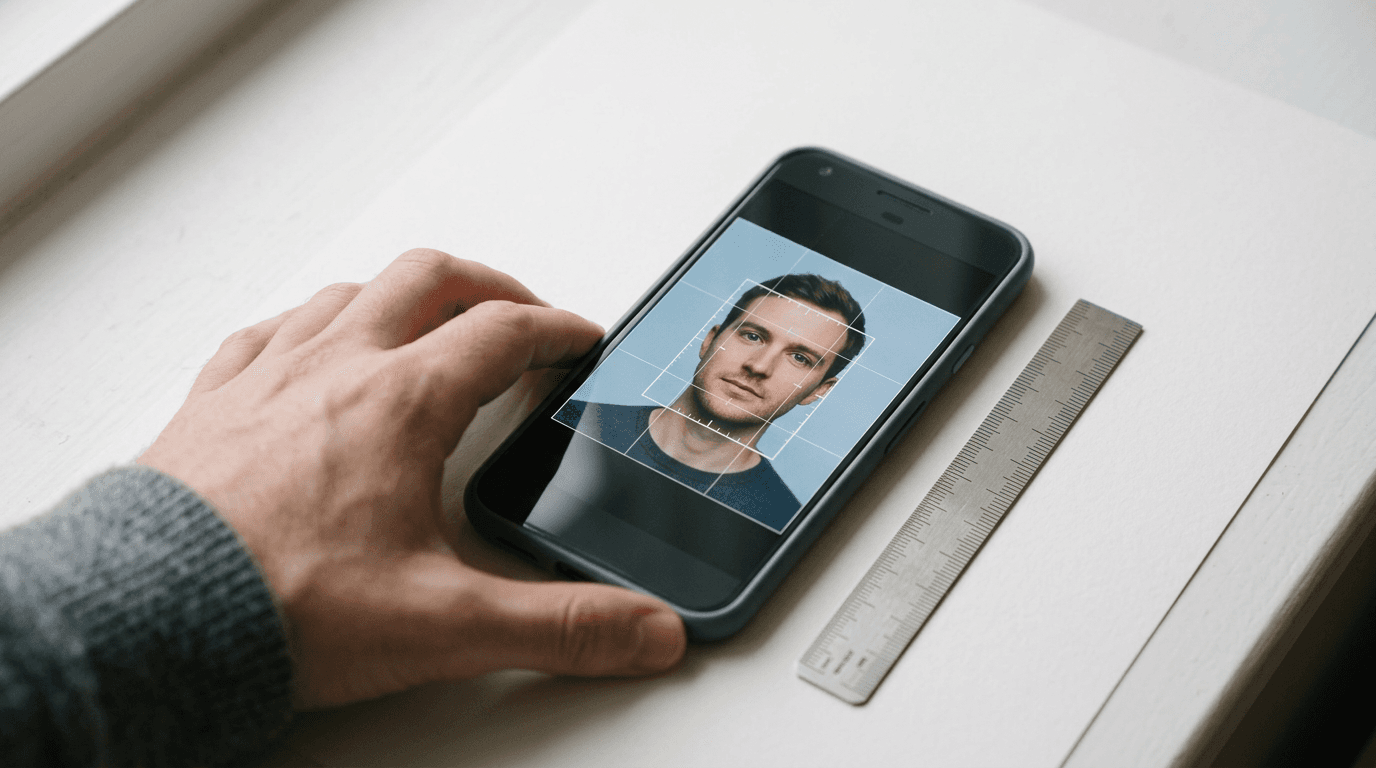
Capturing a compliant image of a newborn involves waiting for that brief window when they are awake, laying them on a flat surface, and hoping they look straight at the lens before the flash startles them. Most traditional photography studios struggle with the physical realities of infants, and strict government biometric standards mean even a slight shadow triggers an automatic rejection. Finding a dependable passport photo maker changes this dynamic entirely, allowing families to process digital images from their smartphones into government-compliant files at home. The challenge in 2026 shifts from locating a basic crop tool to choosing a platform that genuinely verifies biometric alignment rules before submission. Software engines now vary wildly in how they treat background artifacts, manage data retention, and format files for high-density retail printers.
Quick Summary
A digital compliance tool converts standard smartphone images into official document formats by adjusting pixel dimensions, replacing backgrounds, and verifying biometric alignment. The most effective systems remove the guesswork from international compliance, directly reducing the risk of visa application rejections.
- Premium tiers automate background removal and biometric validation.
- Manual utilities require users to align subjects against grid overlays.
- Output resolutions determine whether a file survives retail printing.
- Processing platforms differ heavily in their data retention timelines.
Table of Contents
- Buying Guide / How to Choose
- 1. Passport Photo Online
- 2. PhotoAiD
- 3. idphoto4you
- 4. xPassportPhoto
- 5. Passport Photo Snap
- Matching the Tool to the Application Context
- Recommended Reads
| Product | Processing Approach | Features | Pros | Cons | Target Audience |
|---|---|---|---|---|---|
| Passport Photo Online | Automated AI Verification | Mobile app, background removal, document compliance checks | Cross-platform availability, High user ratings, Strong data compliance | Paid downloads, Requires internet connection, Delivery costs apply | Users needing physical prints |
| PhotoAiD | Automated AI Verification | Biometric database checks, selfie processing, automated cropping | Fast algorithmic processing, Regulatory compliance, Mobile accessibility | Struggles in low light, Paid output, Complex backgrounds cause errors | Visa applicants needing background replacement |
| idphoto4you | Manual Browser Utility | 73 country templates, 10 MB limit, 6-hour data purge | Completely free, Broad template support, Fast server clearing | Lacks AI checks, Manual crop errors, No exposure correction | Capable computer users with good source photos |
| xPassportPhoto | Automated Template Builder | Italian document templates, 15+ languages, browser-based | No registration needed, Multilingual interface, Zero cost | Distorts extreme angles, No face detection, Static aspect ratios | Remote teams preparing European ID cards |
| Passport Photo Snap | Automated Template Builder | 35x45mm strict output, 600 DPI rendering, 827x1063 pixels | High print resolution, Instant processing, No paywalls | Locked to Italian standards, Fails on non-European sizes, Rigid framing | Applicants needing Italian electronic identity cards |
Buying Guide / How to Choose
Evaluating image preparation software requires looking past the marketing claims of instant compliance and understanding how these engines actually process pixel data. The lens that genuinely separates these tools is their Processing Approach. Document authorities reject applications for minute details - a shadow under the chin, a slight head tilt, or a background that reads as off-white rather than pure white. Knowing how a tool tackles these variables dictates whether the final print will pass border agency scanners.
Automated AI Verification platforms scan facial landmarks to ensure the space between the eyes and the distance from the chin to the crown meet exact percentage requirements. They actively mask out the original background and inject a pure digital white or grey. Manual Browser Utility frameworks provide the grid, but force the user to scale and position the face manually, offering no feedback on lighting or posture. Automated Template Builder systems blindly force whatever file is uploaded into a specific aspect ratio, cropping edges without verifying if a face is actually centered in the resulting frame.
Practical rule: Never apply digital filters or beauty enhancements to a biometric photo, as these alter the facial structure data checked by immigration algorithms.
1. Passport Photo Online
In Italy, the service charges €5.95 for a digital-only format and €9.95 for a package containing the digital photo and printed copies with shipping included, according to its published pricing. It operates as a cross-platform pipeline for applicants needing immediate feedback on their biometric positioning before committing to a final print.
The software operates as a dedicated mobile application for both iOS and Android platforms. It crops, resizes, and modifies the background of uploaded photos for document compliance. The platform processes over 1 million users annually. Data handling fully complies with GDPR and CCPA standards. Generating a reliable foto passaporto online requires strict adherence to technical bounds. The application automates the background replacement to flat white or grey based on the selected country profile. I would hold off on ordering the physical prints if a local pharmacy offers instant dye-sublimation printing for a lower cost. Shipping simply adds unnecessary delay. Reviewing a platform's privacy policy reveals how these systems handle sensitive biometric information once the transaction concludes.
Data compliance dictates application safety
The primary constraint emerges at the final export stage, as the interface gates the verified file behind a payment wall, ruling out users searching for a zero-cost download to print at home.
Acquire this package when you require the confidence of algorithmic checks and prefer the convenience of home delivery for physical print sheets.
Pros
- Trustpilot rating of 4.8 stars from over 21,000 reviews
- Strong adherence to international privacy regulations
- Dedicated native applications for mobile operating systems
Cons
- Final digital file requires payment
- Physical print package nearly doubles the base cost
- Background removal sometimes softens hair edges
2. PhotoAiD
Unlike manual grid editors that rely entirely on the user to align the subject's jawline, PhotoAiD actively isolates the face from complex backdrops. Families capturing selfies against patterned walls use this engine to strip away the environment and inject a compliant solid color automatically.

Available for users on both iOS and Android devices, this AI-powered online service automatically processes, crops, and removes backgrounds to match specific document requirements. In Italy, the platform offers a digital photo option for €5.95 and a printed option with home delivery for €9.95. The system complies with European Union GDPR privacy regulations and California Consumer Protection Act standards. What makes us prefer this architecture is its capacity to handle difficult edge-detection around the shoulders, which frequently causes rejections in standard cropping utilities. It maintains a Trustpilot rating of 4.7 stars based on over 13,000 customer reviews.
Algorithmic processing speeds up application preparation
Where the software struggles is in extremely low-light conditions; the background replacement algorithm often misinterprets deep shadows on the neck as part of the background, aggressively cutting away parts of the subject and necessitating a complete retake.
Select this tool when applying for international visas where exact biometric background replacement is mandatory and you lack a plain white wall at home.
Pros
- Automated background stripping saves manual editing time
- Strict adherence to California and EU data laws
- High volume of positive user verifications
Cons
- Low lighting confuses the extraction algorithm
- Physical delivery adds wait times to urgent applications
- Base digital file carries a premium price tag
3. idphoto4you
When a traveler realizes their digital portrait fails the strict framing rules of a foreign embassy, they often turn to manual correction tools to salvage the image. This web-based photo generator targets capable computer users who prefer to control the exact crop rather than trusting an algorithm to find their chin.
The interface provides manual cropping and adjusting features for creating passport and visa photos, supporting official photo standards and dimensions for 73 different countries. It accepts file uploads in JPG and JPEG formats, capping the maximum file size limit at 10 MB. In situations demanding a quick foto tessera gratis, this manual control ensures the final composition matches the physical print sheet perfectly. The system operates completely free of charge. Uploaded files that are not manually deleted by the user are automatically purged from the servers within 6 hours. We would bypass this interface if applying for an infant, as manually estimating head-size percentages for babies often leads to compliance failures. Reading the terms and conditions confirms this short retention window protects user data from long-term storage.
Manual alignment requires precise user input
Because the architecture delegates all biometric judgment to the user, applicants without a firm grasp of specific consulate guidelines risk printing images with incorrect eye-level positioning.
Commit to this interface if you possess a high-resolution, well-lit portrait and solely require a tool to snap it to exact consular dimensions without paying a fee.
Pros
- Automated server purging within six hours
- Zero cost for generating final templates
- Support for 73 different national dimension standards
Cons
- No active biometric verification algorithms
- Heavy reliance on the user to understand sizing rules
- Lacks automated background replacement features
4. xPassportPhoto
Remote teams often assume that formatting a compliant image requires an expensive software license, completely overlooking lightweight browser-based alternatives. By stripping away complex AI checks, this builder serves users who already possess perfectly lit photographs and only need correct dimensional framing.
The engine formats user photos to comply with governmental size and layout regulations without demanding a premium fee. The photo generation service is fully free and does not require users to register an account. It provides templates specifically matching standard Italian documents, including the 35x45mm Italian passport, Electronic Identity Card (CIE), and driver's licenses. Finding a free passport photo online usually involves navigating watermarks, but this system exports clean layouts directly. The platform's website is translated and available in over 15 languages, including Italian, German, French, Arabic, and Hindi. We would avoid this builder if the original photograph contains heavy shadows, as it lacks the exposure correction necessary to fix lighting flaws.
Localized templates prevent sizing rejections
Relying strictly on static aspect ratios means the software will forcefully stretch or distort uploads that fall outside standard camera sensor formats, alienating users shooting in unusual aspect ratios.
Utilize this builder when you need to quickly generate multiple print sheets for standardized European identity cards without logging into an account.
Pros
- Extensive multilingual interface accessibility
- Bypasses mandatory account creation
- Specifically targets core Italian documentation sizes
Cons
- Extreme upload angles result in stretched outputs
- No dynamic face detection capabilities
- Fails to correct poor ambient lighting
5. Passport Photo Snap
An expatriate parent finalizing an urgent consulate application needs a compliant digital file immediately, without navigating complex payment gateways or generic crop tools. This specialized web-based tool caters exclusively to individuals generating digital files for localized Italian identity cards.
The service remains 100% free to use. It does not require user registration. This removes friction from the preparation phase. It automatically formats and exports photos to the exact 35x45mm biometric standard at a resolution of 600 DPI. For applicants needing to creare foto tessera instantly, a dedicated single-purpose application prevents accidental selection of the wrong country's rules. The generated digital photo file meets a minimum resolution requirement of 827x1063 pixels. This density holds up well during retail thermal printing. I would hold off if the subject is an infant unable to sit upright. The fixed framing expects a perfectly vertical posture. Reviewing a United States baby passport photo guide highlights how different international requirements are from this rigid Italian template.
Practical rule: Always position the camera at the subject's eye level; shooting down at a subject distorts facial proportions and leads to immediate dimensional rejection.
Fixed export parameters ensure printing quality
Its narrow operational scope creates a hard barrier; the platform exclusively targets the 35x45mm Italian specification, completely abandoning applicants who need the standard formats required by North American or Asian authorities.
Target this specific export tool if your sole objective is obtaining a high-density, 600 DPI file strictly for an Italian electronic identity card.
Pros
- Ensures high-density 600 DPI output
- Operates without requiring user registration
- Prevents accidental selection of incorrect templates
Cons
- Useless for non-European sizing standards
- Offers zero flexibility for custom aspect ratios
- Lacks advanced facial extraction tools
Matching the Tool to the Application Context
Deploying an Automated AI Verification suite makes sense when preparing documentation for embassies with notoriously high rejection rates. These paid platforms act as a safety net against complex backgrounds and poor shadow management. The upfront cost mitigates the risk of missing a travel window due to a technical denial.
Applying a Manual Browser Utility suits applicants who possess fundamental photography skills. If you already control your lighting and shoot against a flat white wall, paying an algorithm to remove a background that is already compliant wastes resources. These interfaces allow precise, cost-free cropping provided you know exactly where the eye-line must sit.
Committing to an Automated Template Builder serves administrative teams or families processing standard European documents in bulk. By locking the output to rigid dimensions and resolutions, these tools sacrifice global flexibility to ensure local ID cards format correctly on the first attempt without demanding a subscription.