5 Smartphone Apps for come fare una foto formato tessera in 2026
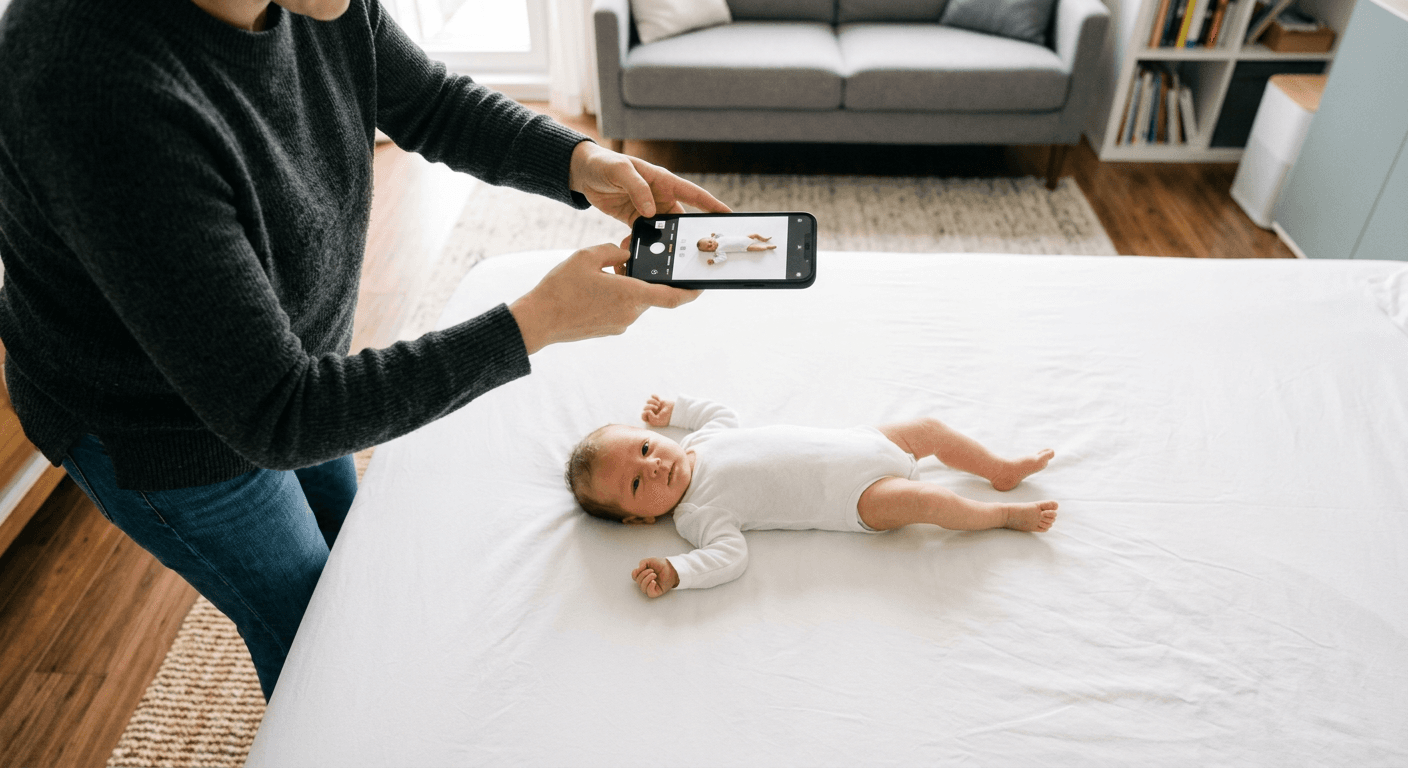
A parent in Milan lays a white bedsheet across the living room floor on a Monday morning, stands over their newborn with a smartphone, and realizes that the shadow cast by their own shoulders instantly disqualifies the shot. Attempting to figure out come fare una foto formato tessera at home often starts with the assumption that cropping a standard portrait will pass official scrutiny. It rarely does. Biometric document processing is an automated rejection engine that flags incorrect aspect ratios, uneven background exposure, and digital artifacts before a human clerk ever sees the file. Smartphone cameras and dedicated formatting applications change the workflow by handling the dimensional math and background segmentation, but they bring their own technical limits regarding sensor distortion and file compression.
Quick Summary
Understanding come fare foto passaporto using a digital device requires balancing the camera's hardware constraints with the software's ability to map biometric anchor points. The applications available today handle everything from local grid alignment to server-side semantic segmentation, but they differ sharply in their processing requirements.
- Local applications rely on your device's processor and camera API but work without network latency.
- Cloud-based tools perform superior background removal but compress large image files during upload.
- Print-focused applications scale images to exact DPI outputs but skip biometric validation entirely.
- No software can correct the optical distortion caused by holding a wide-angle smartphone lens too close to the subject.
Table of Contents
- Evaluating the Biometric Toolset
- Application Comparison Table
- 1. Foto documenti e Fototessera
- 2. Foto Tessera - PhotoAiD
- 3. 7ID app
- 4. Passport Photo
- 5. FotoTessera Italiano - Visa/ID
- Buying Guide: Evaluating Smartphone Processing
- Mapping Your Requirement to the Application
- Recommended Reads
Evaluating the Biometric Toolset
Before exploring specific software, practitioners must isolate what the application is actually being asked to do. The requirements for biometric photography separate into two distinct phases: optical capture and digital formatting. When a user queries foto per passaporto dove farle, the physical environment - specifically ambient light and distance from the subject - dictates the success of the optical capture. The applications listed below handle the digital formatting phase. They are evaluated based on their mechanism of action: whether they process the image locally on the device's CPU or transmit it to a server, whether they perform active biometric validation or merely overlay a static grid, and whether their final output is structured for a digital upload portal or a physical pharmacy print kiosk. A tool designed to map the chin-to-crown distance for a local ID card operates on a fundamentally different logic than a tool designed to generate a 4x6 inch multi-print template.
Application Comparison Table
| Application | Features | Pros | Cons | Target Audience |
|---|---|---|---|---|
| Foto documenti e Fototessera | Local Android processing, manual grid alignment | Fast offline rendering, zero upload latency | Limited by older device hardware, no automated background removal | Android users needing immediate offline cropping |
| Foto Tessera - PhotoAiD | iOS automated segmentation, Core ML background replacement | Cleans uneven backgrounds effectively, checks biometric ratios | Requires strong contrast to avoid jagged edges on hair | iPhone users submitting digital applications |
| 7ID app | Web-based HTML5 canvas upload, server-side processing | Accessible on any device, immediate Italian localization | Uploading raw sensor files frequently times out on mobile networks | Desktop users with stable broadband connections |
| Passport Photo | Multi-print sheet generation, 300 DPI scaling | Formats perfectly for physical photo kiosks | Performs no biometric checks on the subject | Users who only need to print an already compliant image |
| FotoTessera Italiano - Visa/ID | Global dimension database, automated cropping | Supports multiple national aspect ratios beyond just Italy | Database patches can lag behind actual embassy updates | Expatriates and frequent travelers applying for foreign visas |
1. Foto documenti e Fototessera
This Android application acts as a localized digital darkroom, designed specifically to generate identification documents directly on a smartphone without requiring an external internet connection. It is built for users embedded in the Android ecosystem who need to crop an existing portrait to strict dimensional standards before saving it locally to their device storage.
Rather than executing complex server-side calculations, the application interfaces directly with Android's Camera2 API. It projects a static, semi-transparent biometric mask over the live camera viewfinder. The user must manually position the subject so that the pupillary distance and the chin rest perfectly within these digital guidelines before triggering the shutter. Once captured, the software executes a localized crop based on the predefined aspect ratio and compresses the file into a standard JPEG format. Because the processing is confined entirely to the smartphone's local CPU, the application avoids the compression artifacts typically introduced when uploading large raw sensor files to a remote server. It also allows for rudimentary localized adjustments to contrast and brightness directly on the touch screen.
Local processing relies on the native camera API
The reliance on local hardware processing restricts the tool's effectiveness in environments with poor lighting. Because it lacks computational background replacement, any wrinkles in the bedsheet or shadows cast against the wall remain in the final export, triggering immediate rejection by government scanning software.
This application fails for users operating older Android devices with degraded camera sensors or inadequate ambient lighting. If your environment does not already feature a perfectly flat, evenly illuminated white or light-grey background, the manual cropping tools will not save the image from administrative rejection.
- Pros:
- Functions entirely offline without utilizing mobile data bandwidth.
- Immediate feedback through the live biometric viewfinder mask.
- Keeps sensitive biometric data entirely on the local device.
- Cons:
- No automated background removal capabilities.
- Relies heavily on the physical quality of the smartphone's lens.
- Requires manual alignment by the user during the capture phase.
2. Foto Tessera - PhotoAiD
Operating exclusively within the Apple ecosystem, this iPhone application shifts the burden of formatting away from manual alignment and places it squarely on automated semantic segmentation. It is engineered for iOS users who require a high degree of automation to strip away cluttered residential backgrounds and replace them with government-compliant uniform tones.
The application leverages iOS Core ML frameworks to map the depth of the uploaded image. When an image enters the processing queue, the software executes an edge-detection algorithm that isolates the foreground subject from the background environment. It then mathematically calculates the distance from the bottom of the chin to the top of the cranium, checking these pixel dimensions against stored biometric tolerances. If the proportions pass, the software digitally deletes the original environment and injects a flat, high-contrast background layer behind the subject. It subsequently converts the resulting composite image into an optimized file suitable for direct upload to web-based government portals, bypassing the need for physical printing hardware.
Semantic segmentation struggles with ambient shadows
The mathematical isolation of the subject requires sharp contrast. When a user captures a photograph in uneven, single-source lighting, the AI routinely struggles to distinguish between the subject's hair and a dark shadow cast on the wall behind them.
Users who attempt to utilize this software in dim rooms or under warm, residential tungsten bulbs should skip it entirely. When the AI fails to find a crisp edge, it leaves behind jagged digital artifacts along the subject's shoulders and hair, which automated passport scanners instantly flag as digital manipulation. It requires a brightly, evenly lit starting image to execute its background replacement cleanly.
- Pros:
- Automates the removal of complex and non-compliant backgrounds.
- Actively validates biometric proportions before generating the file.
- Streamlines the workflow for direct digital portal submissions.
- Cons:
- Highly susceptible to edge-detection failures in poor lighting.
- Restricted entirely to users operating iOS hardware.
- Processing latency depends on device generation and computational power.
3. 7ID app
This Italian-language online service provides a completely browser-based approach to document generation. It is built for individuals who are processing applications on a desktop computer or who prefer not to install dedicated, single-use applications on their mobile devices.
The mechanism operates over the web utilizing HTML5 canvas elements. A user uploads an existing photograph from their local storage to the remote 7ID servers. The heavy computational lifting - resizing, background normalization, and biometric alignment - occurs entirely on the server side rather than utilizing the local device processor. The remote servers map the facial geometry, execute the required dimensional crops, and render a finalized image file that is then transmitted back to the browser for download. By shifting the processing to the cloud, the service ensures that the formatting algorithms are universally applied regardless of the age or processing power of the user's originating hardware.
Cloud rendering demands high bandwidth for raw files
The requirement to transmit the originating file to a remote server creates a significant friction point. Modern smartphone camera sensors routinely output files exceeding 12 megabytes in size. Attempting to push uncompressed files of this magnitude over a weak cellular connection frequently results in server timeouts or broken uploads.
This service is fundamentally unsuited for users operating on fluctuating mobile data connections or public Wi-Fi networks. Furthermore, individuals with strict privacy concerns regarding the transmission of their unencrypted biometric data to remote third-party servers will find this web-based architecture entirely incompatible with their operational security requirements.
- Pros:
- Bypasses local hardware limitations by utilizing server-side processing.
- Requires zero application installation on the host device.
- Italian interface language streamlines the process for local users.
- Cons:
- Uploading high-resolution source files frequently causes browser timeouts.
- Impossible to utilize in environments without a stable broadband connection.
- Transmits unencrypted biometric facial data across external networks.
4. Passport Photo
This iPhone application operates under a completely different logic than biometric validation tools; it is a canvas generation engine. It serves users who already possess a compliant, properly cropped digital image but lack the specific formatting required to physically print the image at a standard commercial photo kiosk.
The software functions by generating a blank digital canvas with exact pixel dimensions matching a standard 4x6 inch piece of photographic paper. It then takes the user's uploaded portrait and duplicates it multiple times, arranging the copies into a grid across the canvas. Crucially, the software locks the output resolution to exactly 300 DPI (dots per inch). When the user transmits this composite JPEG to a commercial pharmacy or supermarket printing terminal, the kiosk's software reads the file as a standard landscape photograph. Once printed on heavy stock paper, the individual portraits can be manually cut out with scissors, yielding perfectly sized physical images that match analog submission requirements.
Canvas generation scales pixels without checking compliance
Because the software is strictly a layout tool, it exerts zero analytical oversight over the image content. It does not map the face, it does not check the background color, and it does not warn the user if the subject is casting an invalid shadow.
Users who have not already manually validated their starting photograph against official government regulations must not rely on this application. If you feed it a poorly lit, non-compliant selfie, the software will flawlessly generate a print-ready 4x6 sheet of unacceptable photographs, wasting both the time and the printing fee at the physical kiosk.
- Pros:
- Perfectly scales outputs to 300 DPI for commercial printing hardware.
- Generates multi-image sheets to maximize cost efficiency at kiosks.
- Extremely lightweight processing with fast local rendering times.
- Cons:
- Zero automated checks for actual biometric or lighting compliance.
- Requires access to a physical photo printer to realize the final product.
- The user must manually trim the final printed sheet with scissors.
5. FotoTessera Italiano - Visa/ID
This Android application acts as a localized database paired with a cropping tool. It targets frequent travelers, expatriates, and professionals who manage documentation for multiple jurisdictions and therefore cannot rely on software locked exclusively to one country's domestic standard.
The application operates by maintaining an internal database of dimensional requirements tied to specific sovereign states. When a user selects a destination - for example, shifting from an Italian identity card to an American visa application - the software reconfigures its internal cropping parameters. It changes the mathematical aspect ratio from the standard European 35x45 millimeter rectangle to a strict 2x2 inch square. It dynamically adjusts the on-screen pupillary alignment grid to ensure the subject's head occupies the correct percentage of the total image area according to that specific country's legal mandate. This database-driven approach allows a single source image to be re-cut and exported multiple times to satisfy entirely different geopolitical requirements.
Database reliance shifts the compliance burden back to the user
The utility of this software is entirely tethered to the accuracy and currency of its internal database. Consulates and embassies routinely update their biometric tolerances, adjusting permissible background colors or head-size percentages to combat modern forgery techniques.
Users submitting critical, time-sensitive applications should approach this tool with deep caution. If a government modifies its specifications and the application's developers fail to issue a timely software patch, the app will confidently output obsolete files. The ultimate responsibility for verifying that the software's parameters match the current, legally binding embassy guidelines rests entirely on the user.
- Pros:
- Consolidates multiple international sizing standards into a single interface.
- Allows dynamic re-cropping of one source file for different applications.
- Features dedicated parameters for complex visa dimension requirements.
- Cons:
- Internal databases can fall out of sync with active embassy regulations.
- Requires manual verification of current rules to guarantee safety.
- The interface complexity increases with the volume of supported nations.
Buying Guide: Evaluating Smartphone Processing
When testing software to resolve the problem of come fare foto passaporto, practitioners must look past the interface and evaluate the underlying hardware interaction. The most significant failure point in smartphone biometric photography is optical distortion. Modern smartphone default cameras utilize wide-angle lenses (typically ranging from 24mm to 28mm equivalent focal lengths). When a parent holds a wide-angle lens 18 inches away from an infant's face to fill the frame, the lens severely distorts the facial geometry, enlarging the nose and narrowing the ears. No application on the market can mathematically reverse this hardware distortion.
To achieve a compliant file, the user must physically step back from the subject - utilizing the phone's telephoto lens (typically a 2x or 3x optical zoom) to compress the facial features into an accurate, flat representation.
Secondarily, evaluate how the software handles image compression. Upload portals for government systems often enforce strict maximum file sizes (frequently capping at 240KB or 500KB). Applications that process files locally often output massive 5MB JPEGs that will trigger an immediate rejection from a digital portal. You must select an application that allows you to manually dictate the final export resolution and file weight, or you will be forced to run the final image through a secondary compression tool, which risks degrading the pixel clarity below the legally mandated threshold.
For a deeper understanding of the specific formatting tolerances enforced by different jurisdictions, reviewing the Baby Passport Photo Requirements by Country clarifies exactly what parameters these applications are attempting to meet.
Mapping Your Requirement to the Application
Selecting the correct tool depends entirely on where the final image is going and what hardware you currently hold. The differences in output dictate the operational workflow.
If you possess an iPhone, have excellent, even daylight in your room, and are submitting a digital application directly to a government web portal, utilize Foto Tessera - PhotoAiD. Its automated background segmentation removes the need for physical backdrops, provided the lighting is sharp enough for the edge detection to function.
If you are operating an Android device in a rural area with poor cellular data infrastructure, deploy Foto documenti e Fototessera. Its ability to process the crops locally on the CPU without attempting a high-bandwidth upload prevents the system timeouts that plague cloud-based rendering.
If your final requirement involves submitting a physical photograph via mail or handing it to a consulate clerk, and you already possess a fully compliant digital image, utilize Passport Photo. It bridges the gap between digital compliance and the specific DPI scaling required by commercial printing kiosks, ensuring your file translates accurately to analog paper.
If you need to verify the specific guidelines for American documents before you begin cropping, consult the United States Baby Passport Photo Guide to confirm the required square aspect ratio.