4 Ways to Get Fototessere Passaporto in 2026: Studios vs Digital Tools
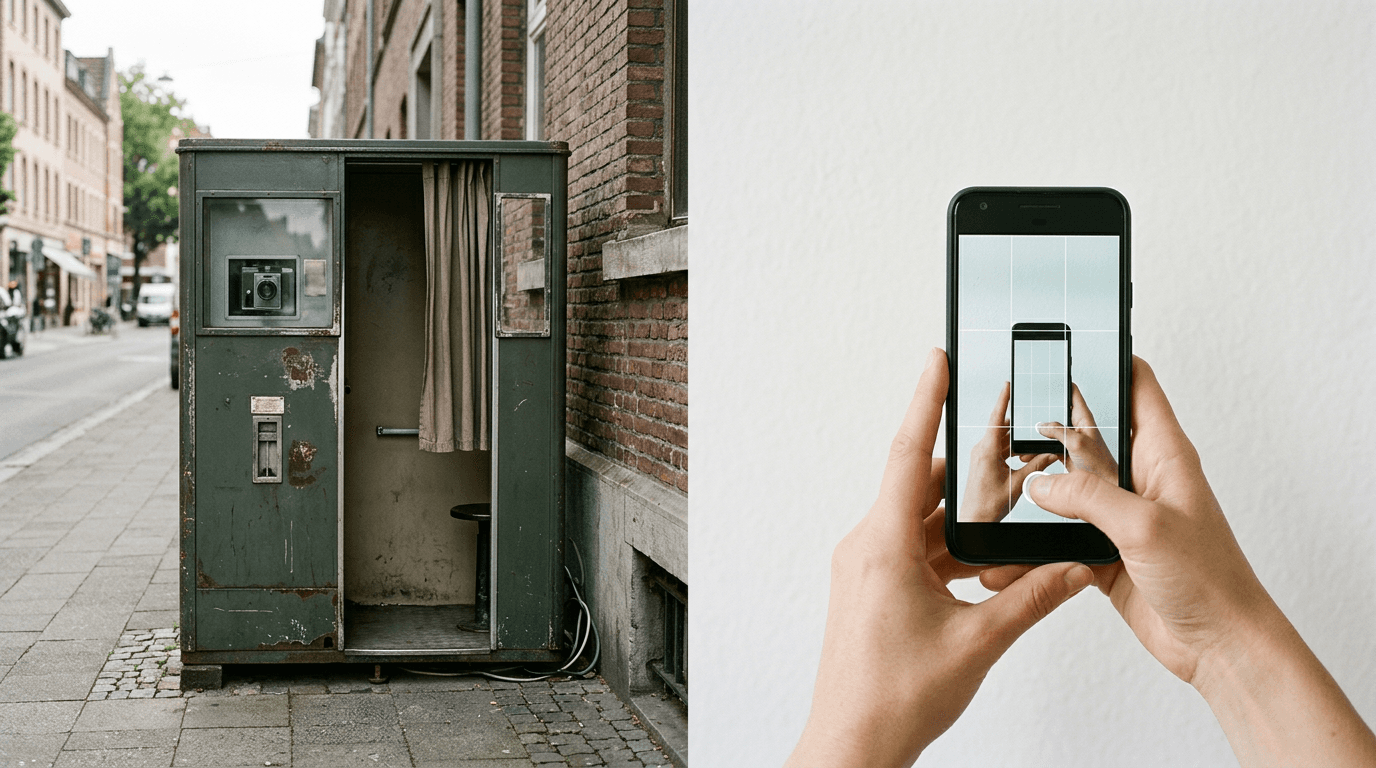
You are standing at the embassy counter, documents in hand, only to be told your printed images fail the biometric requirements due to a harsh shadow behind your left ear. It is the defining failure point of the application process. Obtaining compliant fototessere passaporto is rarely about finding a camera; it is about surviving the stringent, automated validation checks that immigration authorities deploy. Historically, applicants relied heavily on traditional photography studios to manually measure head proportions and adjust lighting. Today, the landscape is divided between physical infrastructure and specialized digital generators.
Quick Summary
Securing fototessere passaporto requires a solution that actively measures biometric compliance rather than just taking a picture. The effectiveness of any approach depends heavily on whether it enforces official dimensional standards, corrects background colors, and delivers files in the format your specific application portal demands.
- Physical booths offer immediate hard copies but lack advanced digital validation for infant or complex shots.
- Hybrid platforms combine AI compliance checks with physical home delivery.
- Graphic design platforms allow manual formatting for those seeking a foto tessera gratis route but offer no biometric guarantees.
- Dedicated mobile applications automate the validation process natively on your smartphone.
Table of Contents
- Quick Summary
- Comparing the Options
- Buying Guide / How to Choose
- 1. DEDEM S.p.A.
- 2. Passport Photo Online
- 3. Canva
- 4. PhotoAiD
- Matching Situations to Service Delivery Models
- Recommended Reads
Comparing the Options
| Product | Service Delivery Model | Features | Pros | Cons | Target Audience |
|---|---|---|---|---|---|
| DEDEM S.p.A. | Physical Kiosk | Self-service booths, prints 4 photos | Immediate physical prints, widespread availability, fixed lighting | No digital compliance checks, requires physical travel, rigid environment | Walk-in applicants needing immediate prints |
| Passport Photo Online | Hybrid Delivery | Digital generator, physical home delivery | Dual format options, automated sizing, convenient access | Shipping delays for physical prints, premium pricing for combined packages | Applicants needing both digital and physical files |
| Canva | Design Platform | Background removal, JPG/JPEG exports | Free tier availability, high customization, mobile apps | No biometric validation, requires manual dimensioning, steep margin for error | Budget-conscious users comfortable with manual formatting |
| PhotoAiD | AI Verification App | iOS/Android app, AI biometric verification | Automated compliance checks, native mobile experience, guided capture | Limited physical printing support, reliance on smartphone camera quality | Digital-first applicants seeking immediate validation |
Buying Guide / How to Choose
Choosing where to capture your foto passaporto requires understanding the mechanism behind the service. We evaluate these services across a single critical classification lens: the Service Delivery Model. This axis separates options based on how the image is validated and delivered to the end user.
Physical Kiosk
This category relies on fixed, unstaffed hardware stationed in public areas. The lighting and camera distance are pre-calibrated, removing the need for user adjustments. However, these machines simply print what they capture, offering no active feedback on subtle biometric failures like tilted shoulders or improper facial expressions.
Hybrid Delivery
These solutions process an image digitally through a web interface and then bridge the gap to the physical world by mailing compliant prints. They sit between the convenience of digital capture and the necessity of physical documentation, making them suitable when you have the luxury of time.
Design Platform
This category provides raw formatting tools. You can remove backgrounds and crop images, which is useful when searching for a foto tessera gratis method. Because these are generalized graphic tools, they lack built-in templates for international biometric standards, leaving the burden of compliance entirely on the user.
AI Verification App
These are specialized mobile applications that run background algorithms to check lighting, shadows, and eye lines against official databases. They remove the manual guesswork but operate strictly in the digital realm.
When wondering about foto per passaporto dove farle, your choice must align with the specific submission requirements of your local consulate or digital portal.
Practical rule: Never choose a formatting tool that lacks specific country templates if you are applying for a visa or passport outside your home country's jurisdiction; generalized dimensions fail international checks.
1. DEDEM S.p.A.
Walk through any major Italian train station, and you will eventually encounter a DEDEM S.p.A. machine. Operating under the Physical Kiosk model, this widespread physical network of self-service photo booths across Italy caters directly to adults needing immediate document photos without scheduling a studio appointment.

The mechanism is purely mechanical and optical. You sit on a height-adjustable stool, align your reflection with a static overlay on a screen, and the machine triggers a flash. According to its published pricing, it provides printed passport photos at a cost of 6.00 € for 4 photos. The internal printer processes the shots onto standardized photographic paper within minutes, dropping the dry prints into a physical tray. There is no cloud processing, no AI background replacement, and no digital file export involved in the standard workflow.
Physical infrastructure limits adaptability
The honest limit of this hardware is its rigidity. The stool height, focal length, and harsh direct flash are calibrated for a compliant adult who can sit upright and follow instructions on a screen. If you are attempting to photograph an infant who cannot support their own neck, or if you require a digital file for an online visa application, this machine stops being enough. On Trustpilot, the service holds a score of 3.1 out of 5 stars based on 76 reviews, reflecting the friction of unassisted, legacy hardware.
I would pass on a physical booth if I were processing an application that mandates a digital upload, as scanning a physical print often introduces artifacts that fail digital validation.
Pros
- Immediate physical print delivery
- Fixed and calibrated lighting environment
- Widespread availability in transit hubs
Cons
- Lacks digital compliance validation
- Unsuitable for infants or small children
- No native digital file delivery
2. Passport Photo Online
The question most buyers ask before shortlisting Passport Photo Online is whether the prints will survive official scrutiny when the photo was originally taken in a living room. Operating under the Hybrid Delivery model, it acts as an online platform and generator for creating official passport and document photos, targeting users who want the security of automated checks combined with the delivery of physical prints.
The service works by passing user-uploaded smartphone photos through a biometric validation engine. It crops the image to the exact millimeter specifications required by the selected country, adjusting the background to a uniform compliance standard. According to its published pricing, it offers a digital passport photo option for 5.95 €. For those needing hard copies, it offers a printed and digital combination package delivered to home for 9.95 €. The platform essentially acts as a remote studio, handling the technical formatting before routing the file to a commercial printing facility for dispatch.
Digital flexibility requires shipping lead times
The practical boundary of this service is temporal. While the digital processing is near-instant, relying on physical mail delivery introduces a bottleneck. If your embassy appointment is tomorrow morning, paying for postal delivery is a risk you cannot afford. The system assumes you have a buffer of several days before you must physically submit your documents.
I would choose this hybrid approach if dealing with a strict consulate that demands hard copies, provided the application timeline spans at least another week.
Pros
- Combines AI checks with physical printing
- Exact millimeter cropping for specific countries
- Eliminates the need to find a physical studio
Cons
- Physical prints are subject to postal delays
- Combined packages carry a premium cost
- Requires a high-quality initial smartphone capture
3. Canva
Teams and individuals often turn to Canva when looking to bypass specialized fees entirely. Representing the Design Platform model, this is an online graphic design platform offering a tool and templates for making passport photos. It is aimed at confident, budget-conscious users who understand the exact pixel and millimeter requirements of their application.
The workflow relies on manual user inputs rather than automated compliance engines. You upload an image to a blank canvas, manually size it to the required dimensions (e.g., 2x2 inches), and utilize its automatic background removal tool to set the background to white. The platform enables users to download completed photos in JPG or JPEG formats, and it provides dedicated mobile apps for both iOS and Android platforms.
Manual control removes compliance safety nets
The severe operational limit of using a generalized design tool is the total absence of biometric validation. The software will not warn you if the distance from the chin to the crown of the head falls outside the mandated 25mm to 35mm range, nor will it flag uneven facial illumination. The user assumes the entirety of the compliance risk. If you are unaware of the strict guidelines for the United States Baby Passport Photo Guide, you will likely format it incorrectly.
I would only rely on this manual workflow if I were generating an informal ID badge, avoiding it entirely for high-stakes government applications where rejection causes severe delays.
Pros
- Automatic background removal capability
- Cross-platform accessibility via mobile apps
- High degree of manual export control
Cons
- Total absence of biometric validation
- Requires manual head-size proportioning
- High risk of official application rejection
4. PhotoAiD
By shifting the validation burden directly to the device in your pocket, PhotoAiD changes how compliance is measured. Falling strictly into the AI Verification App category, it is an AI-powered website and mobile application designed to format and verify biometric photos. It targets applicants who need immediate digital clearance for online submission portals.
The system integrates deeply with mobile hardware. Available as a mobile app on the Apple App Store named 'App Foto Tessera - PhotoAiD', the software utilizes Artificial Intelligence to automatically verify compliance with official requirements. When a user captures an image, the application immediately scans for common rejection triggers: red-eye, head tilt, open mouths, and improper background shadows. If the image fails, the app forces a retake before allowing the user to proceed to the formatting stage.
Mobile verification isolates the validation process
The structural limit of an app-centric approach is its isolation from physical printing infrastructure. While it excels at generating a compliant digital file, users who require physical submission must independently route that digital file to a local print shop or pharmacy kiosk, ensuring the secondary printer does not alter the aspect ratio.
What would make me hesitate is a requirement for a physical submission in a foreign country where local print kiosks are difficult to navigate; in such cases, relying solely on an app leaves the job half-finished.
Pros
- Immediate, on-device biometric validation
- Prevents progression if the photo fails checks
- Optimized for native mobile camera hardware
Cons
- Leaves the physical printing logistics to the user
- Relies entirely on the smartphone camera sensor quality
- Digital-only focus requires secondary steps for hard copies
Matching Situations to Service Delivery Models
Mapping your immediate constraints to the right Service Delivery Model prevents costly application delays.
When your primary bottleneck is the immediate need for a physical hard copy and you are a compliant adult applicant, the Physical Kiosk model serves you best. The fixed hardware removes variables, delivering dry prints in minutes, provided you can physically travel to a transit hub and follow rigid posture instructions.
If your priority is absolute biometric certainty combined with the convenience of not leaving your house, the Hybrid Delivery model is the safest choice. This approach works specifically when you have a sufficient time buffer to absorb the postal shipping delays associated with physical home delivery.
For users explicitly seeking to bypass costs and who possess a firm grasp of exact dimensional requirements, the Design Platform model provides the necessary raw tools. This path is strictly for those willing to assume the risk of manual formatting without the safety net of automated validation.
When applying through modern, digital-first government portals that require an immediate, validated file upload, the AI Verification App model is unmatched. It places the compliance engine natively on your device, ensuring the digital file meets strict algorithmic standards before you ever hit submit.