4 Best Passport Photo Maker Platforms for 2026
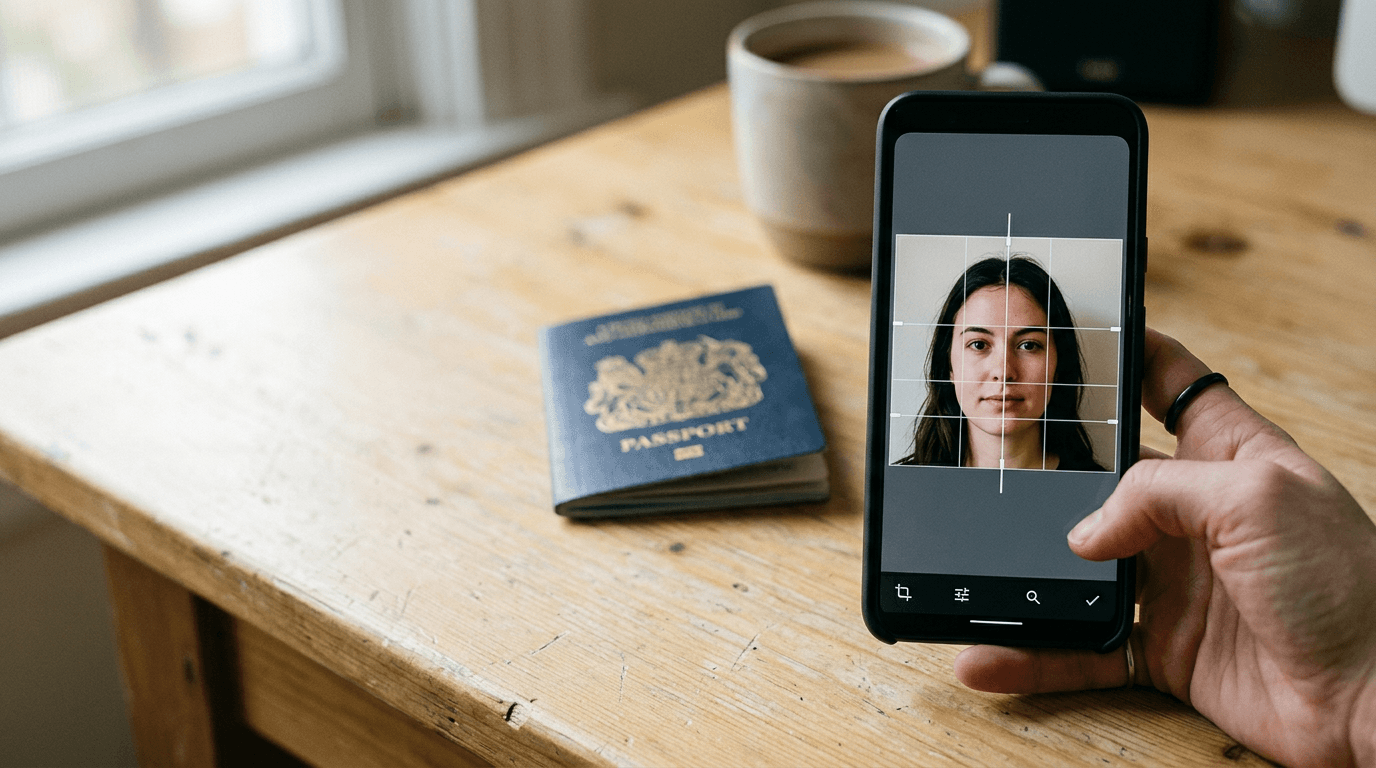
Getting a biometric photo rejected at the consulate desk costs you an application fee, a new appointment slot weeks away, and the time spent repeating the process. A reliable passport photo maker handles the geometric constraints of government specifications so you do not have to guess if the chin-to-crown ratio is correct.
Quick Summary
A digital passport photo maker platform evaluates uploaded images against biometric standards, removes non-compliant backgrounds, and formats the file to exact dimensions for government submission. The primary differences lie in whether the platform relies entirely on automated processing or includes human verification for complex cases like infant photography.
- Automated AI formatting handles standard headshots instantly.
- Template-based design tools require the user to understand the specifications.
- Expert-reviewed delivery guarantees compliance but takes longer.
- Italian electronic identity cards require a precise 35x45 mm crop.
Table of Contents
- How to Choose a Passport Photo Maker
- 1. Canva
- 2. PhotoGov
- 3. MakePassportPhoto.com
- 4. PhotoAiD
- Matching Workflows to Application Needs
- Recommended Reads
| Product | Compliance Workflow | Features | Pros | Cons | Target Audience |
|---|---|---|---|---|---|
| Canva | Template-based design | 35x45 mm formatting, Background removal, Web/iOS/Android | Free tier available, Multi-platform access, High resolution export | Lacks biometric validation, Requires manual alignment, No compliance guarantee | Users comfortable verifying their own dimensions |
| PhotoGov | Automated AI formatting | 35x45 mm cropping, Mobile web integration, Geographic allowances | Browser-based mobile access, Precise Italian ID cropping, Fast processing | Limited to two free ID photos daily, No manual override, Dependent on location | Applicants needing quick mobile web formatting |
| MakePassportPhoto.com | Automated AI formatting | 500+ document types, Instant downloads, Background replacement | Ad-supported free tier, Broad document database, Accessible interface | Advanced features cost $2.99, Ads on free tier, Basic tier lacks AI positioning | Users needing obscure visa formats |
| PhotoAiD | Expert-reviewed delivery | AI compliance scan, Human expert review, Digital/print delivery | High user satisfaction, Dual verification, Dedicated mobile apps | Longer processing time, No ad-supported free tier, Overkill for basic needs | Applicants with high-stakes document needs |
How to Choose a Passport Photo Maker
Selecting a platform depends entirely on how much of the compliance burden you are willing to carry yourself. Biometric specifications are rigid. For an Italian passport, the subject's face must occupy the vast majority of the vertical space in a 35x45 mm frame. Light must be uniform, shadows behind the ears or on the background result in immediate rejection, and the background must be a specific shade of white or light grey. When photographing infants who cannot sit upright, achieving these conditions against a compliant background is difficult. Software solves this by extracting the subject and replacing the environment.
We evaluate these platforms across three distinct Compliance Workflow categories:
- Template-based design: The software provides the canvas and the extraction tools, but you must manually scale the head to meet the official vertical frame coverage requirement and check the lighting yourself.
- Automated AI formatting: The platform detects facial landmarks, computes the distance between the chin and the crown, automatically crops the image to the required dimensions, and replaces the background without human intervention.
- Expert-reviewed delivery: An algorithmic scan flags lighting or posture errors, followed by a human technician who verifies the final output against the destination country's current consulate database.
Choose the category that matches your confidence in reading technical document specifications. If you do not know the maximum acceptable distance from the bottom of the chin to the lower edge of the photograph, avoid template-based tools.
1. Canva
Can you format your own document cuts? Canva operates as a Template-based design solution for users who already know the exact dimensional requirements of their target document. It is simple. You upload an image. Then you apply the background remover. Finally, you place the resulting cutout onto a pre-sized document canvas.
The background removal tool uses machine learning to identify the primary subject and separate it from the environment. Once extracted, the user must manually resize the subject within a 35x45 mm frame to meet the specific requirements for Italian electronic identity cards. The platform supports downloading and formatting photos directly to this size. It processes the export rendering the file in standard JPEG or PNG formats, ready for digital submission or placement on a print template. Accessible directly via web browser or through its official application on Android and iOS, it allows users to perform these tasks across devices. The system offers a free tier allowing users to automatically remove image backgrounds and download files without a subscription.
Generalist platforms require manual geometry checks
Because Canva is built for graphic design rather than biometric compliance, it does not understand what a passport photo is. It will not warn you if the subject's mouth is open, if there is a shadow across the nose, or if the head is tilted three degrees to the left. You are responsible for knowing the rules and applying them.
Canva lacks biometric validation. If you scale the head so it occupies too little of the frame instead of the mandated biometric height, the software exports the file without a warning, and the consulate rejects it. This makes it a poor choice for photographing unpredictable subjects like infants, where lighting and posture are already difficult to control. If you want a free passport photo online, you must be prepared to act as your own compliance officer.
I would use this tool only if I had a perfectly lit, perfectly postured photograph taken against a clean wall and simply needed to crop it to a specific physical dimension.
Pros
- Free tier handles background removal and downloading
- Cross-platform support for web, iOS, and Android
- High-resolution file exports without compression artifacts
Cons
- Zero automated biometric compliance checks
- Requires manual head-size calibration
- Cannot detect uniform lighting or shadows on the face
2. PhotoGov
Standing in a long post office queue is often the catalyst for finding a fast mobile solution. PhotoGov fits strictly into the Automated AI formatting category, designed for mobile users who want to bypass app store downloads and process an image directly through their phone's browser while waiting in line.
The mechanism relies on facial recognition algorithms mapped against a database of government requirements. The system is automatic. When an image is uploaded, the system identifies the pupil distance, the chin line, and the crown. It automatically crops and formats uploaded photos to the 35x45 mm dimensions required for Italian passports, ensuring the head size falls within the mandated mathematical ratios. The software runs on mobile. It runs directly through a web browser without requiring any app download, executing the processing via cloud servers rather than local device hardware. The platform allows users to generate up to two free ID photos per day depending on their geographic location, making it a viable option for a single applicant.
Geographic routing determines processing allowances
The system evaluates the IP address of the incoming connection to apply its usage quotas, tying the free generation allowance directly to where the request originates. This routing also defaults the document selection to regional standards, assuming an Italian IP address requires an Italian specification.
Practical rule: Never assume an automated cropping tool corrects posture. If the subject is looking slightly off-camera, the algorithm will crop it perfectly to size, but the image will still fail the government's gaze-direction requirements.
The hard constraint here is the location-based throttling. Depending on the routing, a user might hit the two-photo daily limit while experimenting with different lighting setups in their living room. Families processing multiple applications for children will quickly exhaust this quota and find themselves locked out of the service until the next day. Anyone trying to make passport photo batches for a family vacation should skip this specific tier.
I would rely on this platform when applying for a single digital visa on a tight timeline, provided the original photograph is already evenly lit.
Pros
- Zero installation required for mobile use
- Automated facial landmark detection for exact 35x45 mm cropping
- Provides up to two free generations daily for most users
Cons
- IP-based quotas limit multiple attempts
- Cloud processing requires a stable mobile internet connection
- Lacks human review for ambiguous lighting situations
3. MakePassportPhoto.com
Niche visas often require obscure frame dimensions that standard pharmacy kiosks do not support. MakePassportPhoto.com operates primarily as an Automated AI formatting service for these exact situations, formatting images to biometric requirements for more than 500 document types while splitting its features across distinct commercial tiers.
When a user selects a document type, the platform loads the dimensional matrix for that specific country. It generates photos according to the official 35x45 mm size required for Italian passports, mapping the image onto a printable 4x6 inch template. The service provides a free, ad-supported plan with instant downloading and no generation charges, which handles the basic cropping geometry. For users needing background manipulation, it offers an AI Automatic plan for $2.99 that adds automatic background replacement and biometric face positioning, utilizing machine learning to separate the subject's hair from the original background.
Biometric validation relies on commercial upgrades
The platform separates basic cropping from active compliance verification. The free tier will slice an image to the correct ratio, but it will not fix a cluttered background or verify that the face is perfectly centered using algorithmic checks.
Where this platform stops being useful is for users trying to process difficult photos on the ad-supported tier. The free version does not include the background replacement necessary to salvage a photo taken in a standard room. If you are photographing a toddler and cannot achieve a perfectly white background in-camera, the free tier will not help you pass the application desk. You must either pay the $2.99 upgrade fee or find a blank wall. If you want a strictly passport photo online experience without commercial interruptions, the free tier's ad density will be frustrating.
This is a logical choice for someone applying for an obscure international visa who cannot find the correct dimensional template anywhere else.
Pros
- Extensive database of 500+ global document requirements
- Ad-supported tier allows unlimited basic generation
- Generates compliant 4x6 print templates for local kiosks
Cons
- Background removal requires the $2.99 paid plan
- Free tier lacks biometric face positioning
- Ad-supported interface slows down the workflow
4. PhotoAiD
A rejected passport application can ruin travel plans. PhotoAiD represents the Expert-reviewed delivery category, aimed at applicants who cannot afford these delays and are willing to trade instant processing for verified certainty with both digital downloads and printable deliveries.

The platform operates a two-stage pipeline. Initially, the uploaded image undergoes an automated AI compliance scan that checks for basic parameters: red-eye, shadow density, background uniformity, and face framing. If the image passes the algorithmic threshold, the workflow triggers a review by a human passport photo expert who manually inspects the file against current consulate guidelines. This dual approach has earned the platform a rating of 4.8 out of 5 stars based on more than 5,000 user reviews. Users can submit their images through dedicated mobile applications for both iOS and Android platforms, which use the device's camera API to help guide the initial capture.
Dual-layer verification catches edge cases
Algorithms occasionally misinterpret data. A heavy shadow under the chin might be flagged as a compliance failure by AI, but a human reviewer can recognize it as a natural contour that falls within acceptable government limits for that specific country.
Practical rule: Only pay for human review if your application timeline is critical; the 24-hour turnaround for physical prints is excellent, but unnecessary if you only need a digital file for a web portal.
The structural limit of this system is speed. Because it relies on human technicians to clear the final file, you cannot use this service if you are standing in the consulate lobby needing a digital file in three minutes. The expert review introduces latency that purely automated systems do not suffer from.
I would strongly recommend this workflow when processing infant passport photos, as human reviewers are much better at judging whether a baby's slightly open mouth will trigger a rejection.
Pros
- Human verification catches errors AI misses
- Dedicated iOS and Android applications guide capture
- Highly rated reliability across thousands of users
Cons
- Human review introduces processing delays
- Pricing is higher than purely automated alternatives
- Over-engineered for applicants with perfect studio lighting
Matching Workflows to Application Needs
Choosing the right platform comes down to understanding the technical constraints of your original image and the strictness of the receiving government agency.
Template-based design is for users who already possess a technically perfect image. If you have studio lighting and simply need to crop an image to exactly 35x45 mm and swap a grey background for a white one, this category gives you the manual control to do it quickly without paying for biometric scans.
Automated AI formatting handles the heavy lifting for standard adult portraits. If you are taking a photo against a reasonable wall and need the software to verify your head size and facial position, these algorithms work predictably. They fail most often when the original lighting is terrible or when the subject is an infant whose proportions confuse the facial mapping tools.
Expert-reviewed delivery is the safeguard for high-stakes applications. If a rejection means canceling a flight or waiting three months for a new appointment, paying for a human technician to verify the AI's output removes the risk entirely. This is the only realistic choice for unpredictable subjects where automated systems repeatedly reject the initial capture.